Step 1: Install Smile: Loyalty & Rewards.
- Go to https://apps.shopify.com/smile-io
- Install the app on your Shopify store
- Create an account and complete the configuration process.
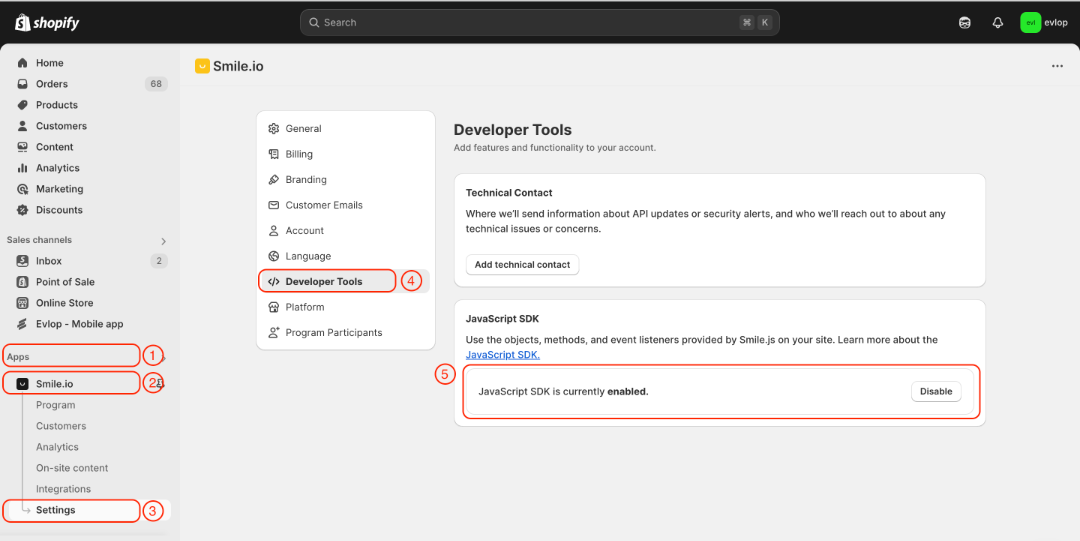
Step 2: Enable JavaScript SDK in Smile.io
- Go to the Apps section of your Shopify dashboard.
- Select Smile.io
- Go to the Settings page.
- Navigate to the Developer Tools section
- Enable the JavaScript SDK
Step 3: Enable the Smile: Loyalty & Rewards integration.
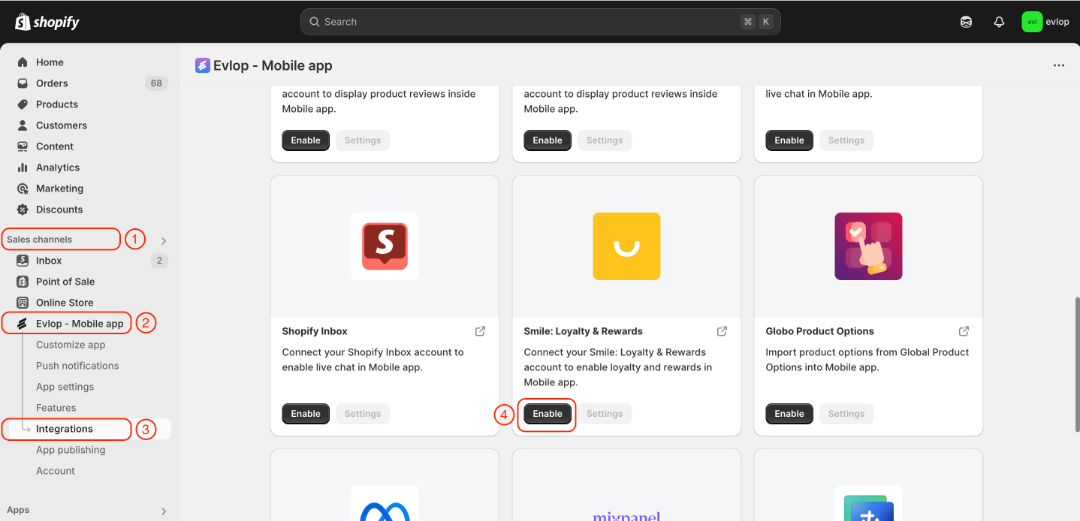
- Go to the Sales channel section of your Shopify dashboard.
- Select evlop mobile app
- Open the Integrations page.
- Navigate to Smile: Loyalty & Rewards
- Enable the Smile: Loyalty & Rewards Integration.
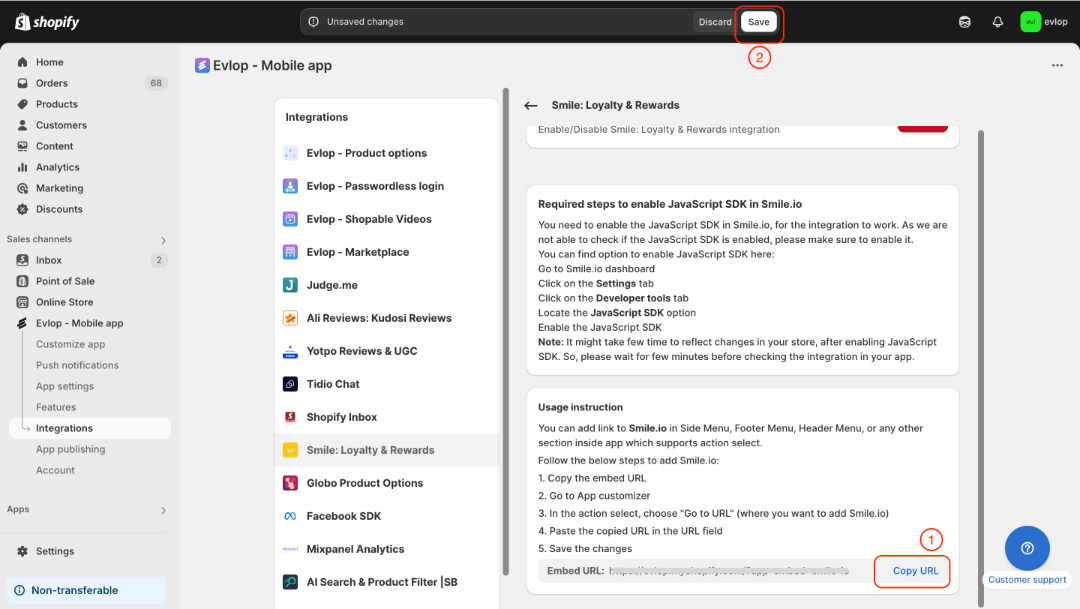
- Copy App Embed URL.
- Save the changes.
Step 3: Create a Reward page action.
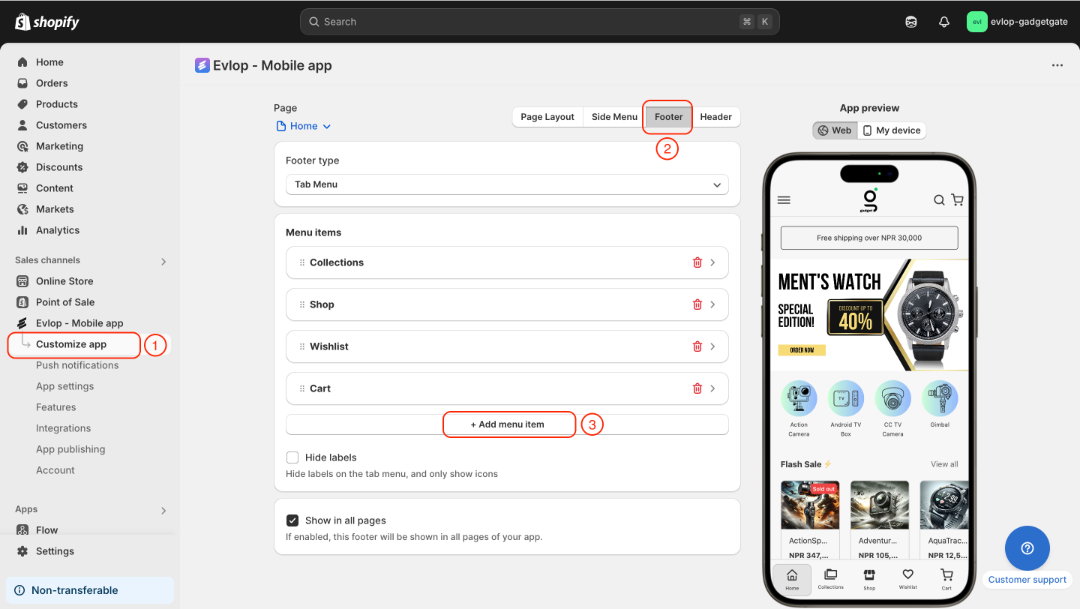
- Go to the Customize app page.
- Decide the section where you want to add a reward option. (Eg. footer, header, side menu, or any page you wanted)
- Add a menu item or a section.
- Select action to "Go to URL".
- Paste the copied URL in the URL field
- Save the changes
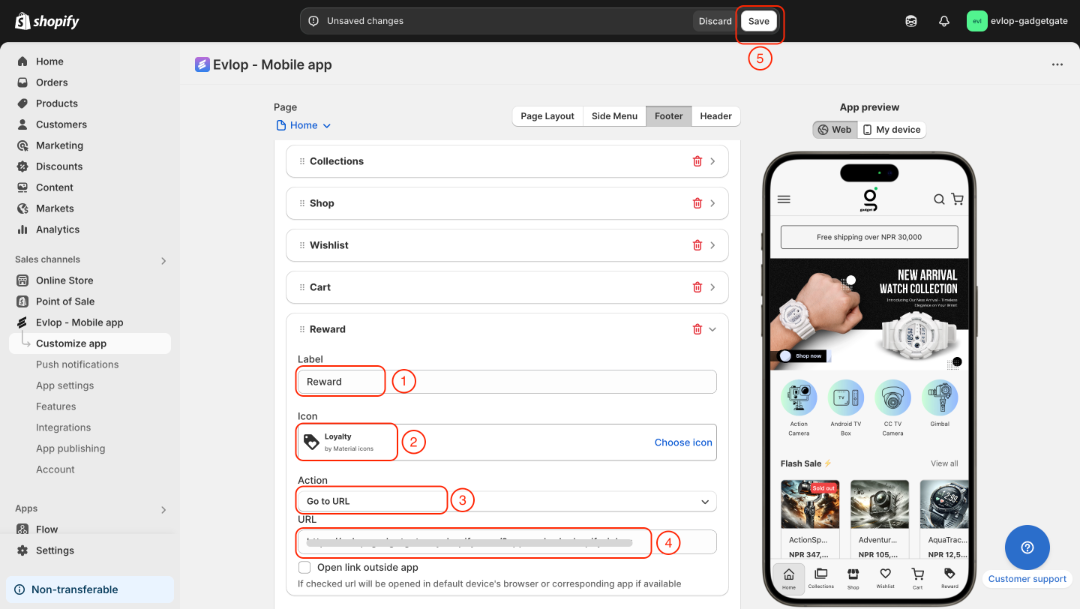
Here we're adding a reward option to the footer.
- Select Footer under the Customize app page.
- Add a new menu item.
- Label the reward option
- Select icon
- Set action to go to URL
- Paste the app embed URL that you copied from the Smile: Loyalty & Rewards integration page.
- Save the changes
The integration process between the Evlop mobile app and Smile: Loyalty & Rewards has been completed.