Step 1: Install Shopify Inbox.
- Go to https://apps.shopify.com/inbox
- Install the app on your Shopify store
- Create an account and complete the configuration process.
Step 2: Enable the Shopify Inbox integration.
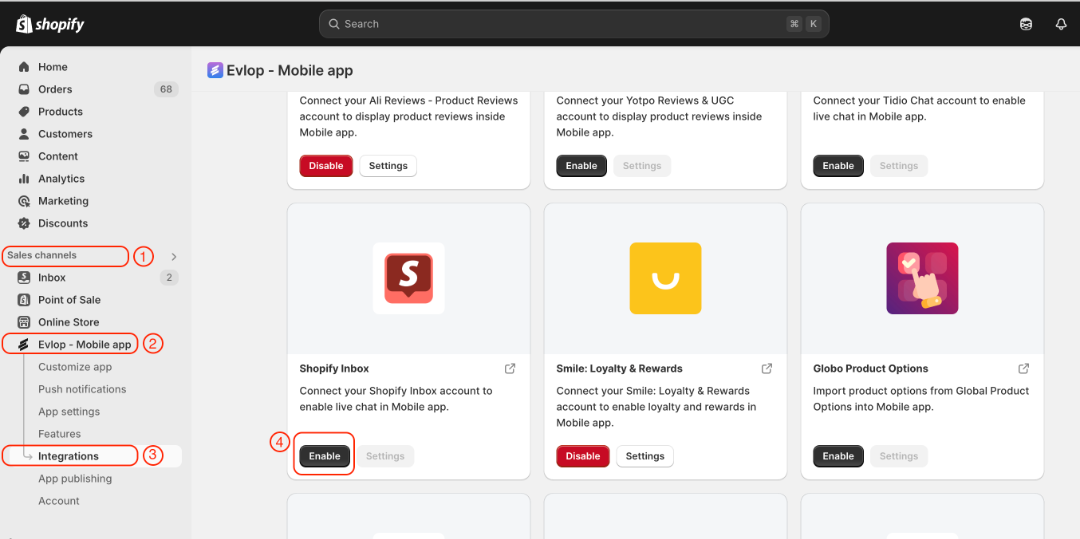
- Go to the Sales channel section of your Shopify dashboard.
- Select evlop mobile app
- Open the Integrations page.
- Navigate to Shopify Inbox
- Enable the Shopify Inbox Integration.
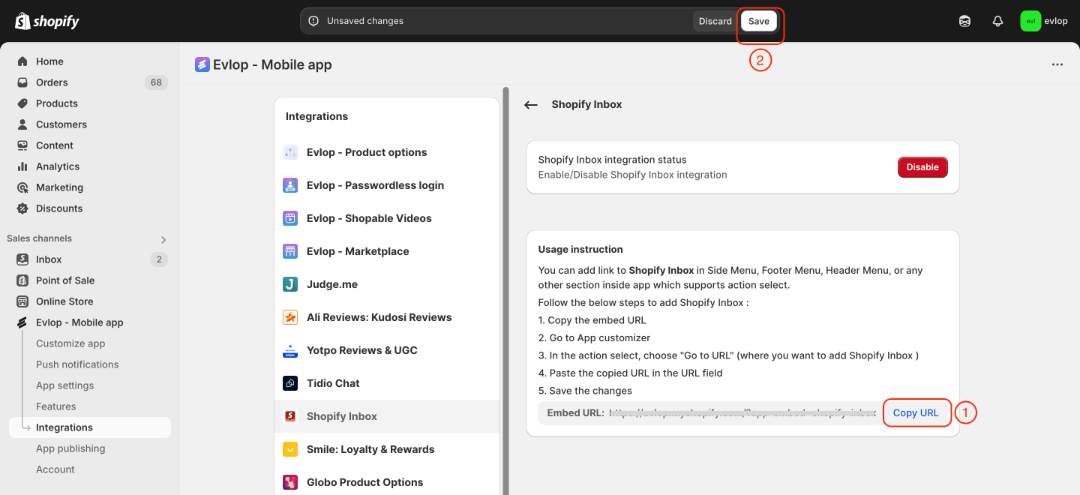
- Copy App Embed URL.
- Save the changes.
Step 3: Create a chat page action.
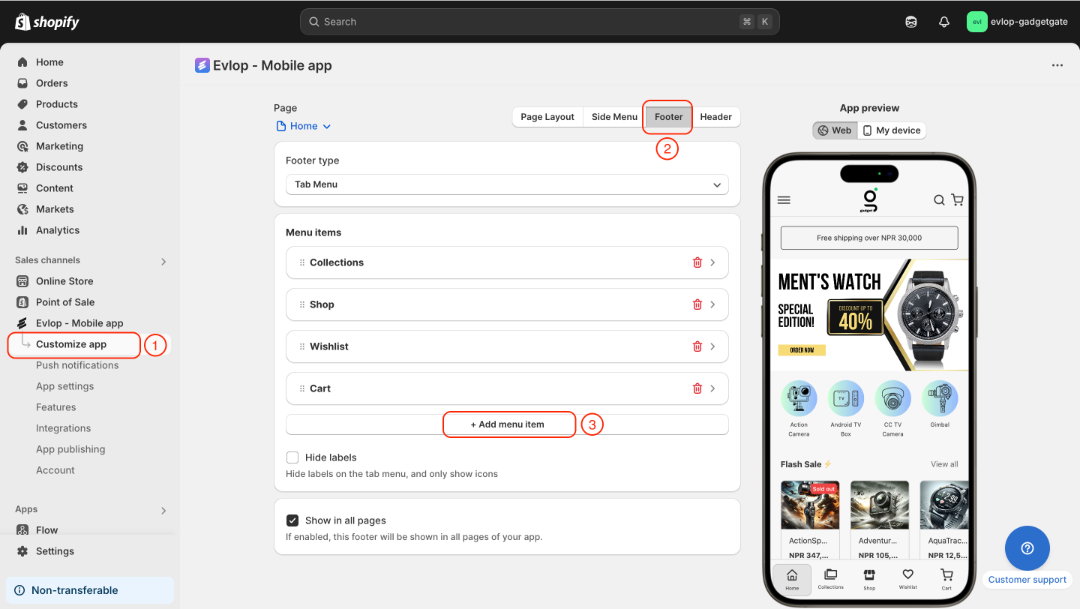
- Go to the Customize app page.
- Decide the section where you want to add a chat option. (Eg. footer, header, side menu, or any page you wanted)
- Add a menu item or a section.
- Select action to "Go to URL".
- Paste the copied URL in the URL field
- Save the changes
Here we're adding a chat option to the footer.
- Select Footer under the Customize app page.
- Add a new menu item.
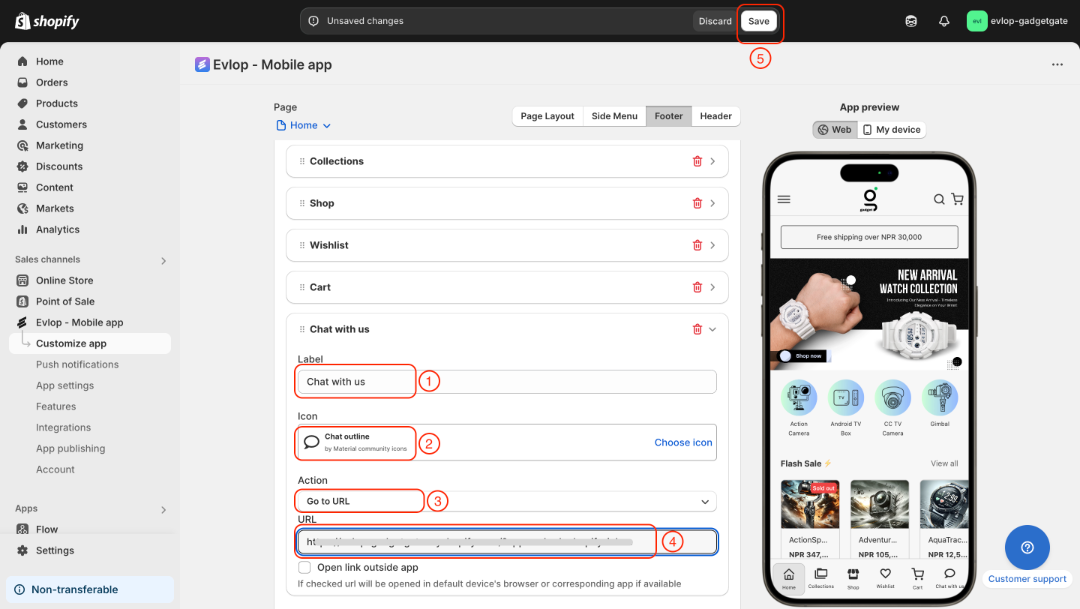
- Label the chat option
- Select icon
- Set action to go to URL
- Paste the app embed URL that you copied from the Shopify Inbox integration page.
- Save the changes
The integration process between the Evlop mobile app and Shopify inbox has been completed.