Step 1: Install Globo Product Options.
- Go to https://apps.shopify.com/product-options-pro
- Install the app on your Shopify store
- Create an account and complete the configuration process.
Step 2: Get your Globo option sets file.
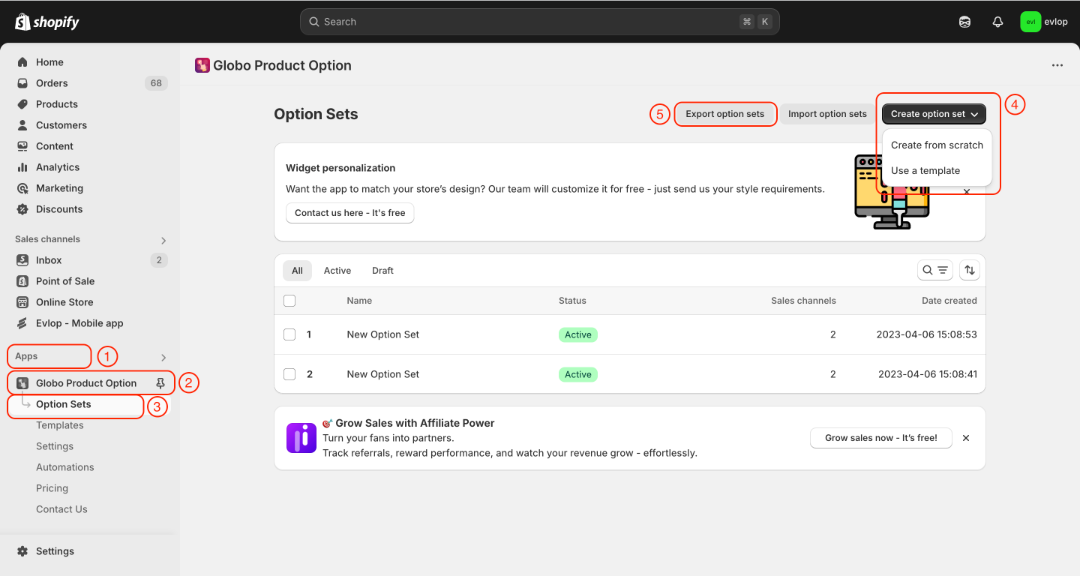
- Go to the Apps section of your Shopify dashboard.
- Select Globo Product Options
- Create option sets.
- Export option sets
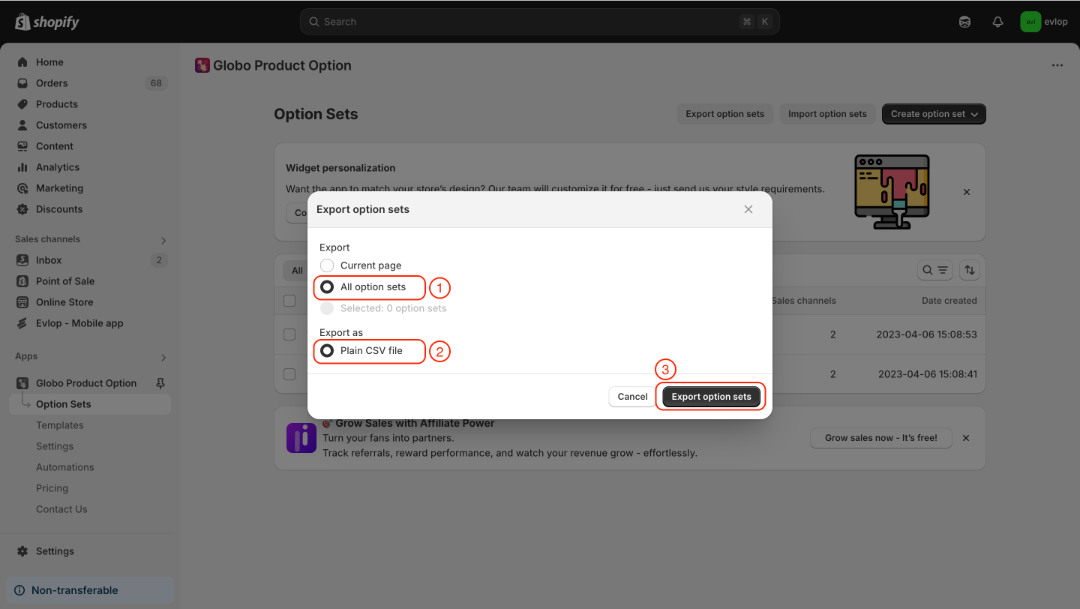
- All option sets
- Export as: Plain CSV file
- Export option sets
Step 3: Enable the Globo Product Options integration.
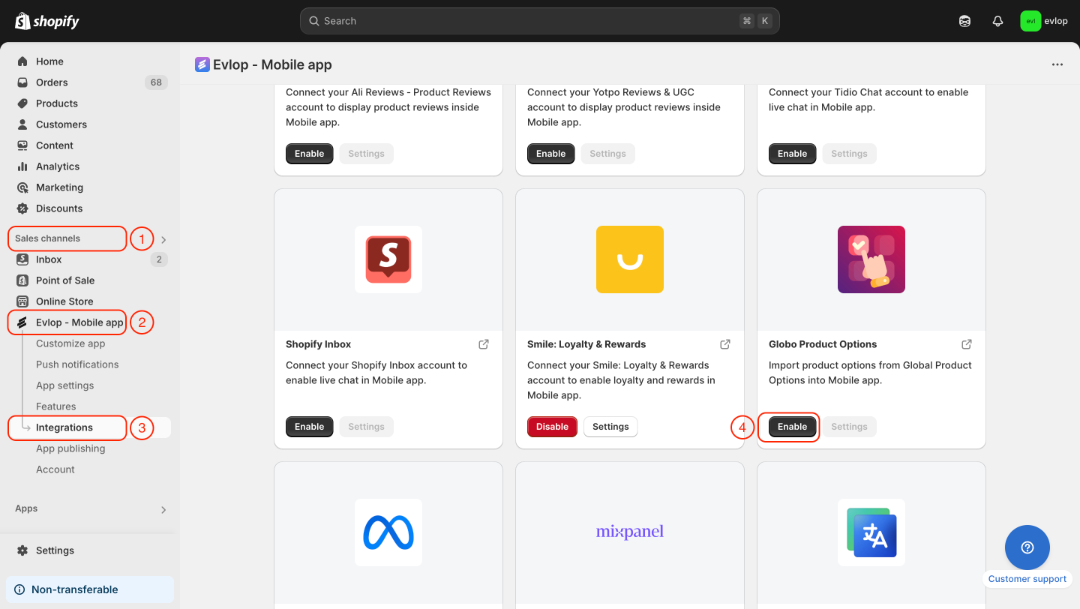
- Go to the Sales channel section of your Shopify dashboard.
- Select evlop mobile app
- Open the Integrations page.
- Navigate to Globo Product Options
- Enable the Globo Product Options Integration.
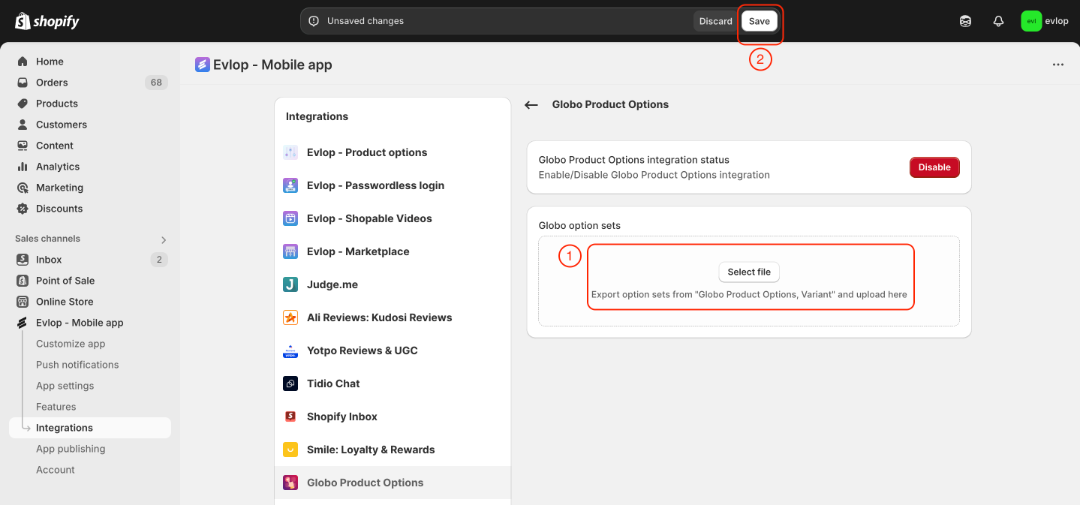
- Select and upload the Globo option set CSV file that you have downloaded.
- Save the changes.
The integration process between the Evlop mobile app and Globo Product Options has been completed.