Step 1: Install AI Search & Product Filter |SB
- Go to https://apps.shopify.com/ultimate-search-and-filter-1
- Install the app on your Shopify store
- Create an account and complete the process to create a product filter.
Step 2: Get the integration credentials.
- Go to the Apps section of your Shopify dashboard.
- Select AI Search & Product Filter |SB
- AI Search & Product Filter |SB will open in a new page.
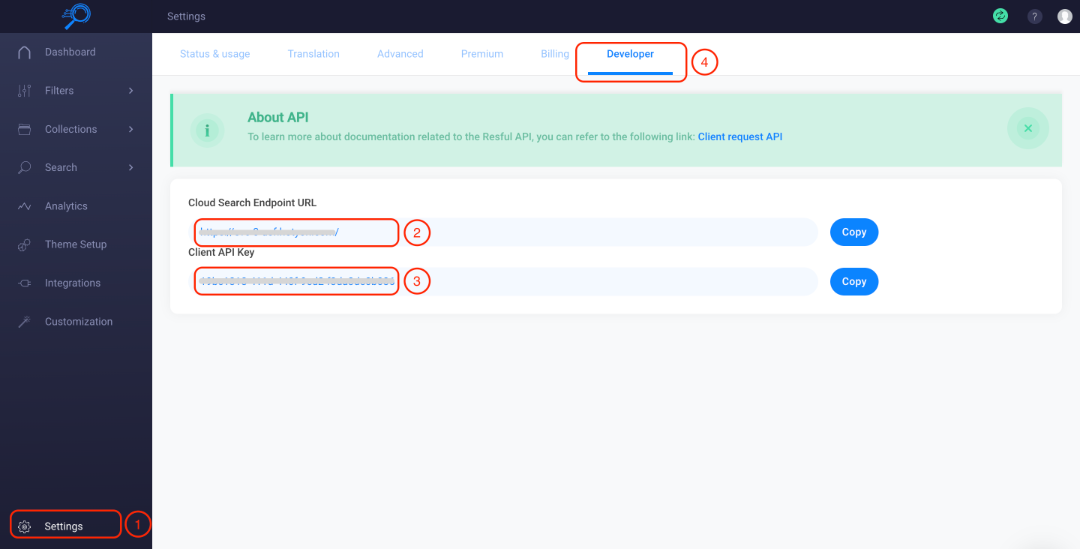
- Click the Settings on the app dashboard
- Go to the Developer tab
- Copy the Cloud Search Endpoint URL
- Copy the Client API Key
Step 3: Enable and configure the AI Search & Product Filter |SB Integration.
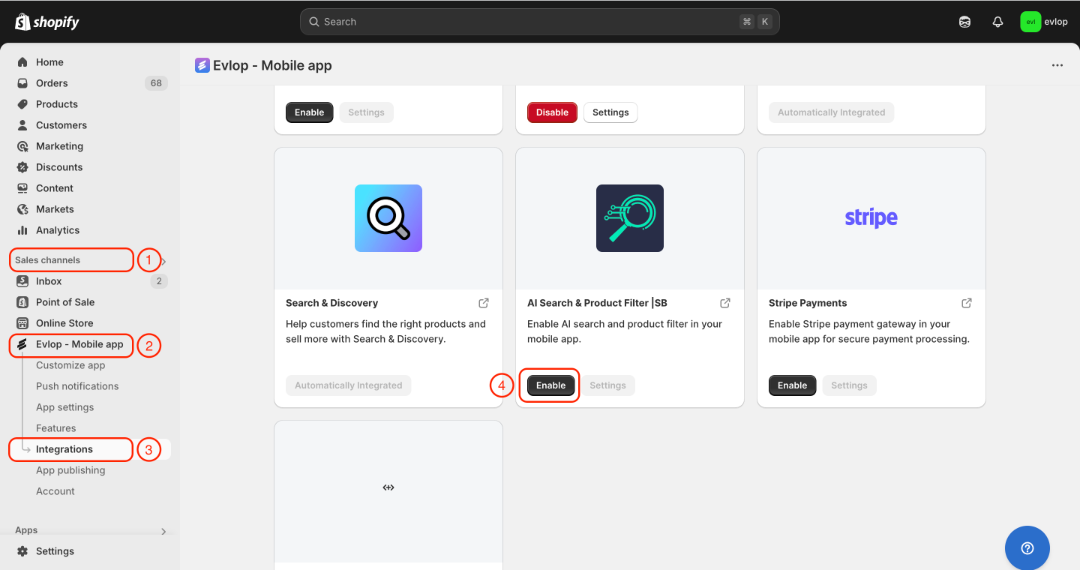
- Go to the Sales channel section of your Shopify dashboard.
- Select evlop mobile app
- Open the Integrations page.
- Navigate to AI Search & Product Filter |SB
- Enable the AI Search & Product Filter |SB Integration
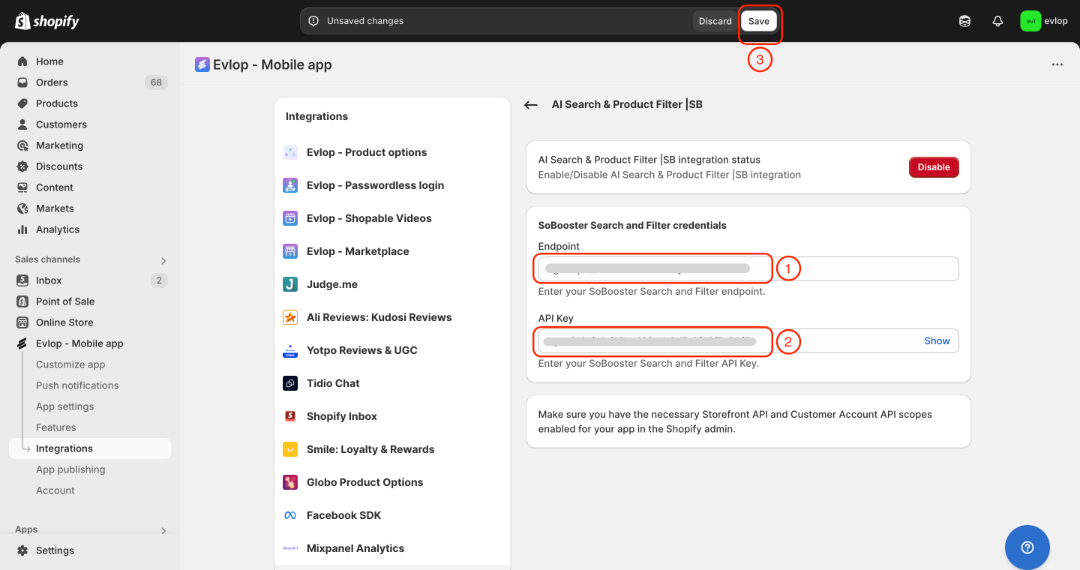
- Enter your SoBooster Search and Filter endpoint.
- Enter your SoBooster Search and Filter API Key.
- Save the changes
The integration process between the Evlop mobile app and AI Search & Product Filter |SB has been completed.