Step 1: Install Evlop - Shoppable Videos
- Go to https://apps.shopify.com/evlop-shopable-videos
- Install the app on your Shopify store
- Add shoppable videos.
Step 2: Enable Evlop - Shoppable Videos integration.
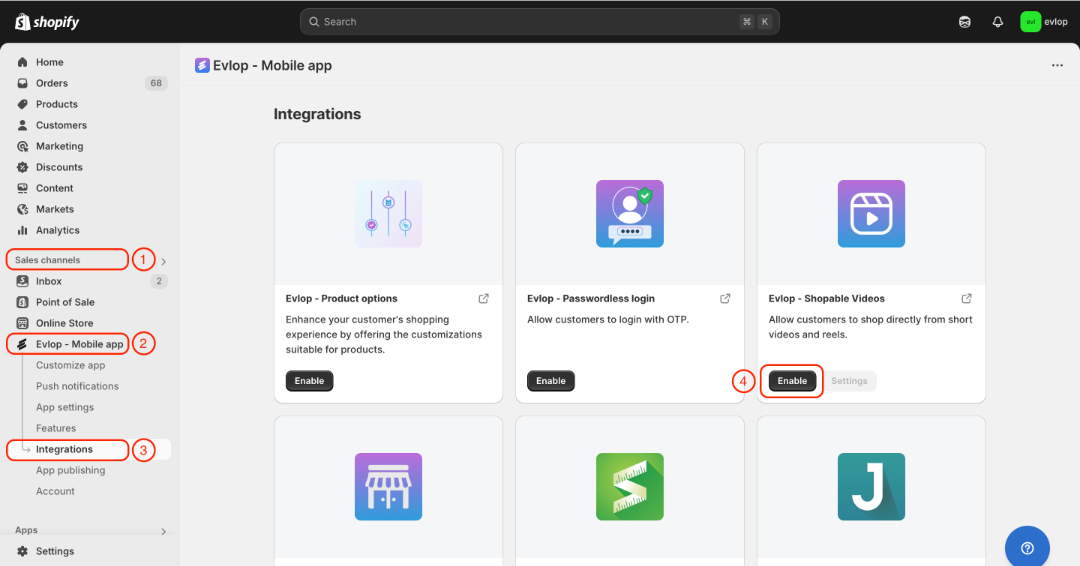
- Go to the Sales channel section of your Shopify dashboard.
- Select evlop mobile app
- Open the Integrations page.
- Navigate to Evlop - Shoppable Videos
- Enable the Evlop - Shoppable Videos Integration.
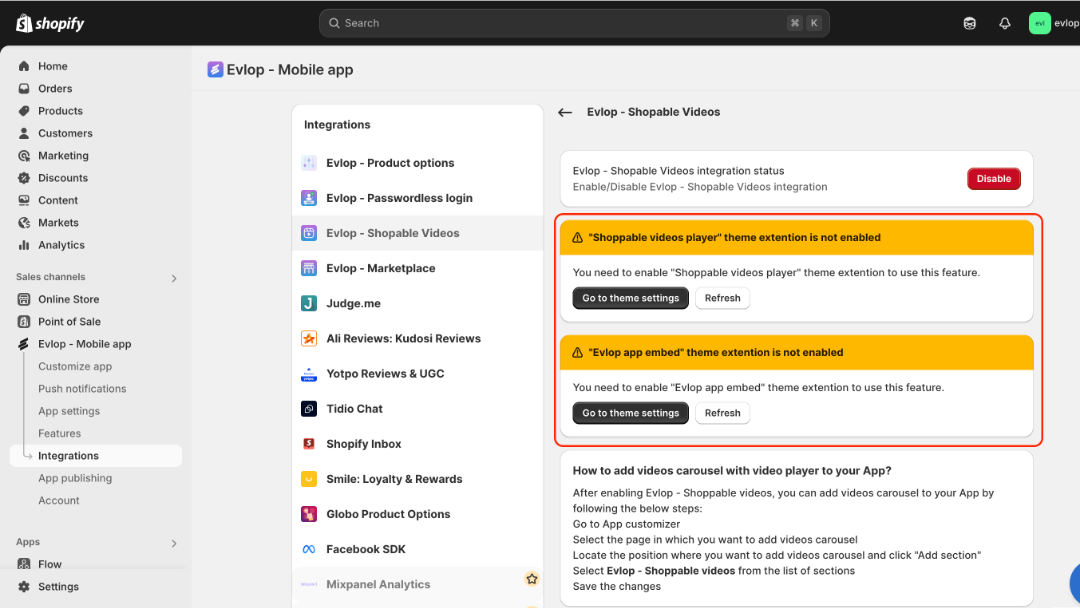
- Complete theme extensions enable for Shoppable video player and Evlop app embed.
- Refresh.
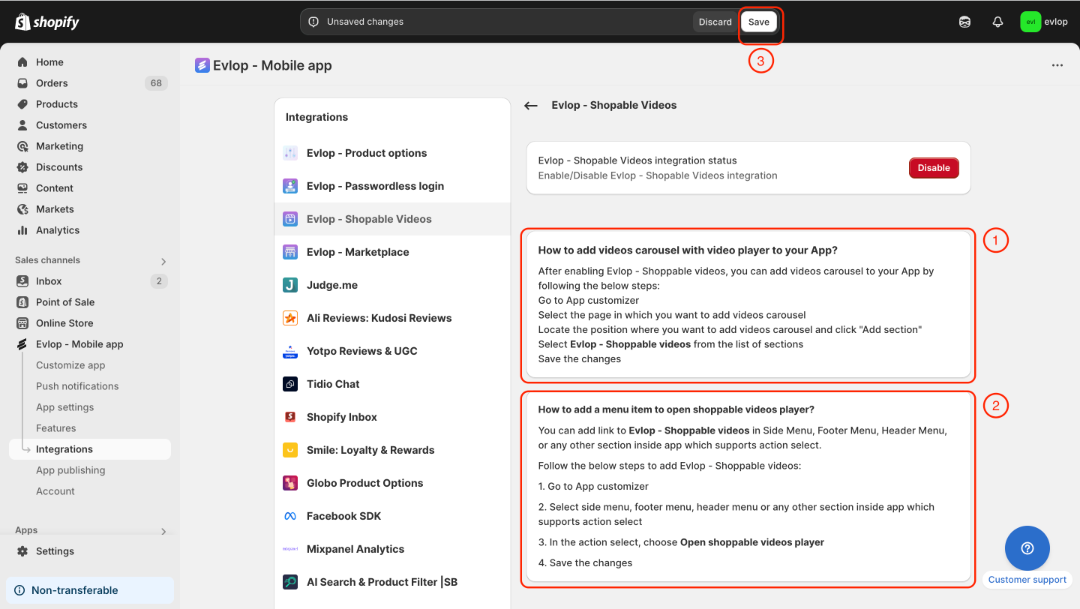
- Understand where and how you can place the Shoppable video player in the app.
- Save the changes.
Step 3: Add Evlop - Shoppable Videos player.
A: How to add a video carousel with a video player to your App?
You can add a Shoppable video carousel to different pages of your App
- Go to Customize app
- Select the page on which you want to add a video carousel
- Locate the position where you want to add a video carousel.
- Click Add section.
- Select Evlop - Shoppable videos from the list of sections
- Save the changes
B: How to add a menu item to open the shoppable videos player?
You can add an action to go to Evlop - Shoppable videos in the Side Menu, Footer Menu, Header Menu, or any other section inside the app that supports action selection.
- Go to Customize app
- Select the side menu, footer menu, header menu, or any other section inside the app that supports action selection
- In the action select, choose Open shoppable videos player
- Save the changes
The integration process between the Evlop mobile app and Evlop - Shoppable Videos has been completed.