Step 1: Install Evlop - Product options.
- Go to https://apps.shopify.com/evlop-product-options
- Install the app on your Shopify store
- Create product option sets.
Step 2: Enable Evlop - Product options integration.
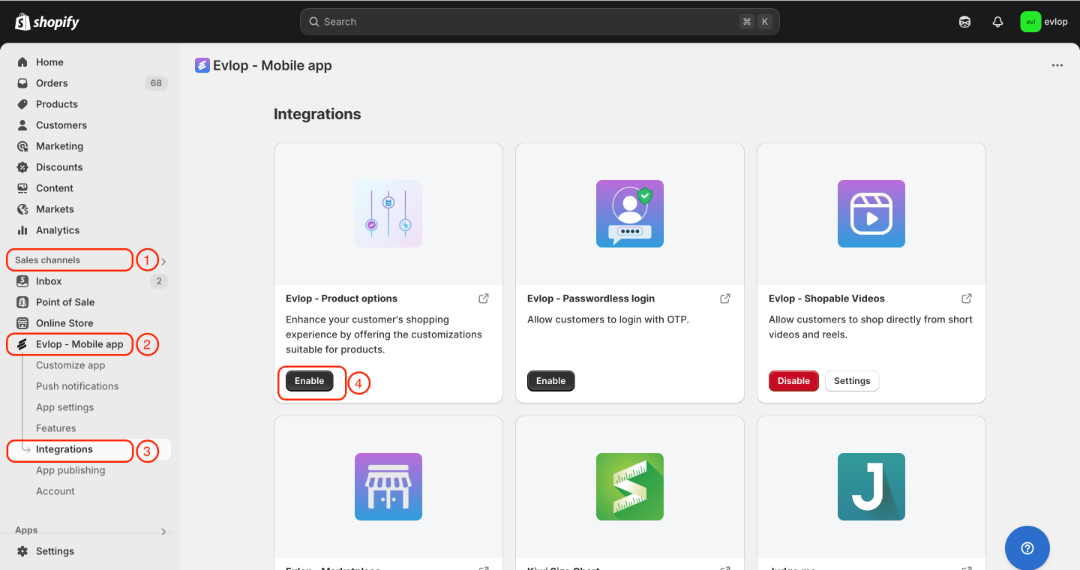
- Go to the Sales channel section of your Shopify dashboard.
- Select evlop mobile app
- Open the Integrations page.
- Navigate to Evlop - Product options
- Enable the Evlop - Product options Integration.
The integration process between the Evlop mobile app and Evlop - Product options has been completed.