1. What is a Section Visibility feature?
A Section visibility feature allows you to add specific conditions to control the display of certain sections of an app. This feature ensures that users only see these sections when particular conditions are met. Section visibility is available for all design sections in the app, which can be accessed in the top right corner of the section editor page for each design section.
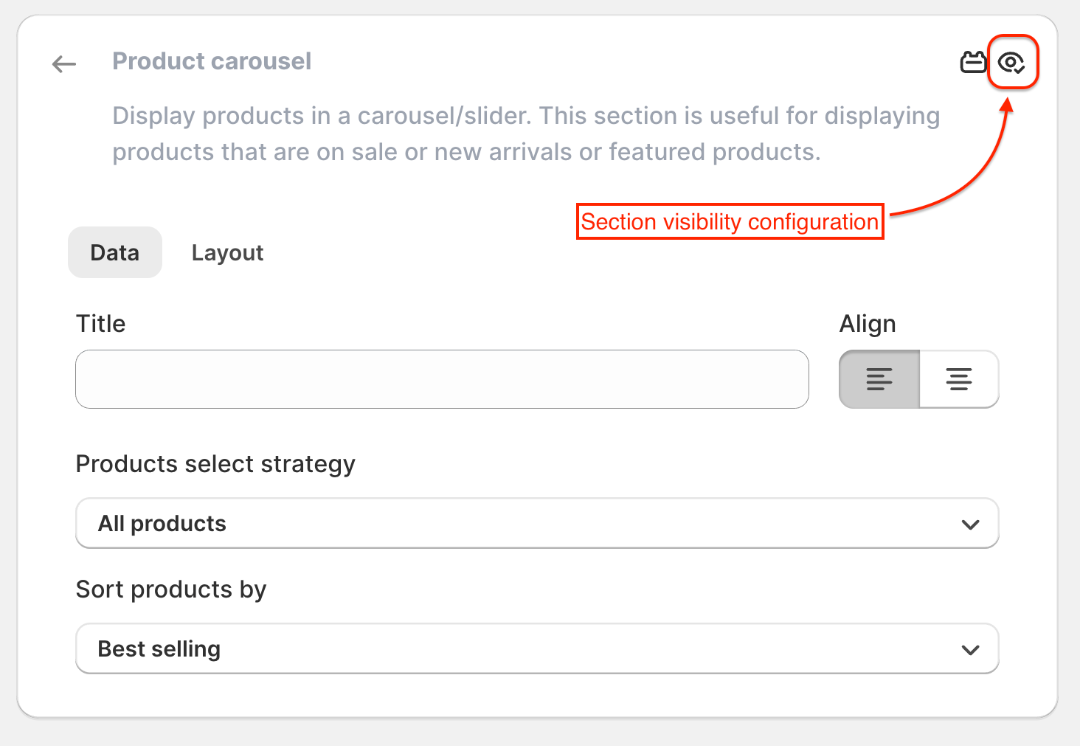
2. Configuration of Section visibility.
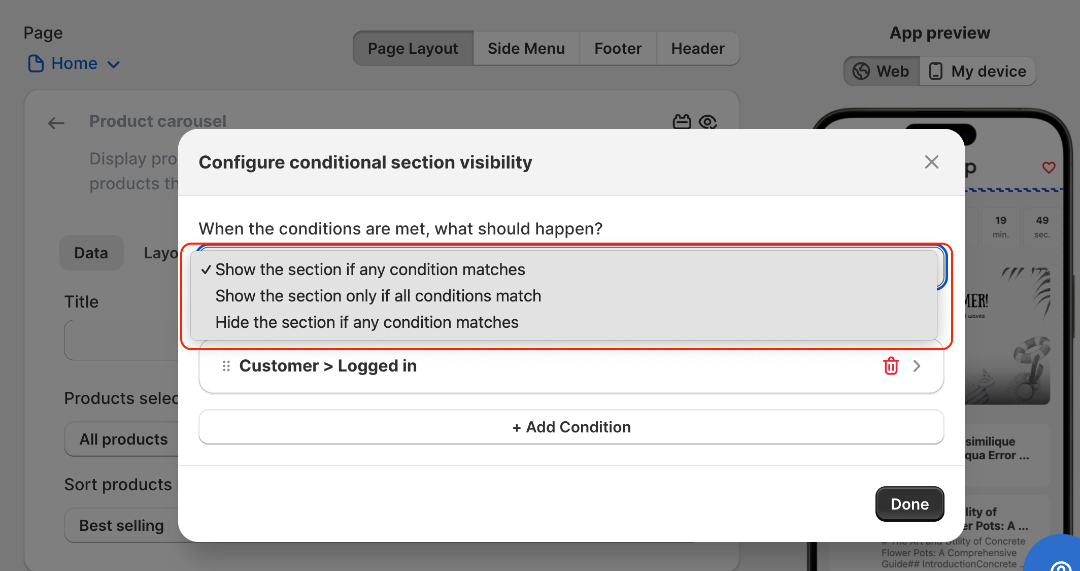
Show the section if any condition matches.
With this configuration, the section will be displayed if any of the multiple conditions match with an app on the user's device.Show the section if all condition matches.
With this configuration, the section will be displayed only if all of the available conditions match with an app on the user's device.Hide the section if any condition matches.
With this configuration, the section will be hidden if any of the multiple conditions match with an app on the user's device.
3. Conditions
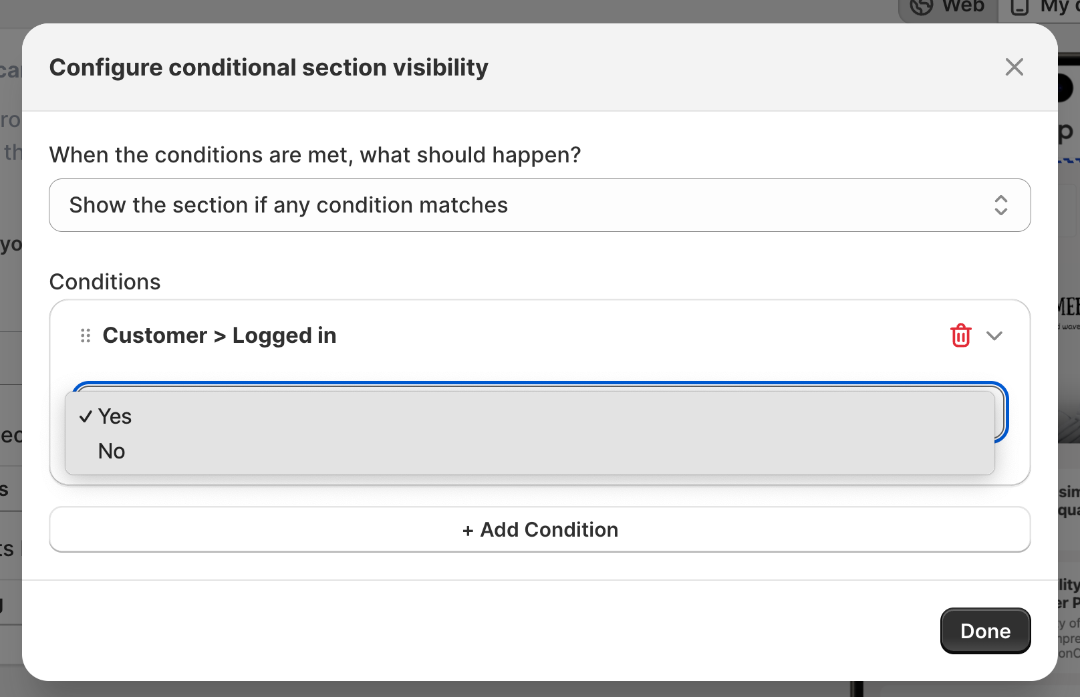
Here, the configuration is Show the section if any condition matches and the condition Customer > Logged in is set as Yes
Now, the section will be visible only to logged-in customers. Conversely, if the condition Customer > Logged in is set to No, the section will appear only when the customer is not logged into the app.
This way, you can set the visibility of sections with a single or a combination of multiple conditions, along with the configuration you need. We currently offer condition filters for Product, Variant, Collection, Customer, and Cart that enable you to control the visibility of sections according to your requirements.
4. Available condition filter options:
Customer filters
- Logged-in status
- Email address
- First name
- Last name
- Country
- Phone number
- Tags
- Orders count
Cart filters
- Cart total price
- Cart subtotal price
- Cart total quantity
Product filters
- Product ID
- Title
- Price
- Discount price
- Discount percentage
- Discount amount
- Available quantity
- Is available for sale
- Tags
- Type
- Vendor
- Collection membership
- Number of variants
- Is gift card
Variant filters
- Variant title
- Variant price
- SKU
- Discount price
- Discount percentage
- Discount amount
- Available quantity
- Is available for sale
- Requires shipping
Collection filters
- Collection ID
- Collection title
Note: The product and variant filters are available exclusively on the Product Details page sections, while collection filters are restricted to the Collection Details page. In contrast, customer filters and cart filters can be applied to the sections across all customizable app pages.