By connecting your Firebase project’s Google Analytics property to Evlop - Mobile App Builder, you unlock the ability to see your app’s performance reports directly inside the Evlop dashboard - without needing to switch between Firebase, Google Analytics, and Evlop.
This connection lets you track installs, active users, retention, and other key engagement metrics in one place.
Step 1: Open Firebase Console
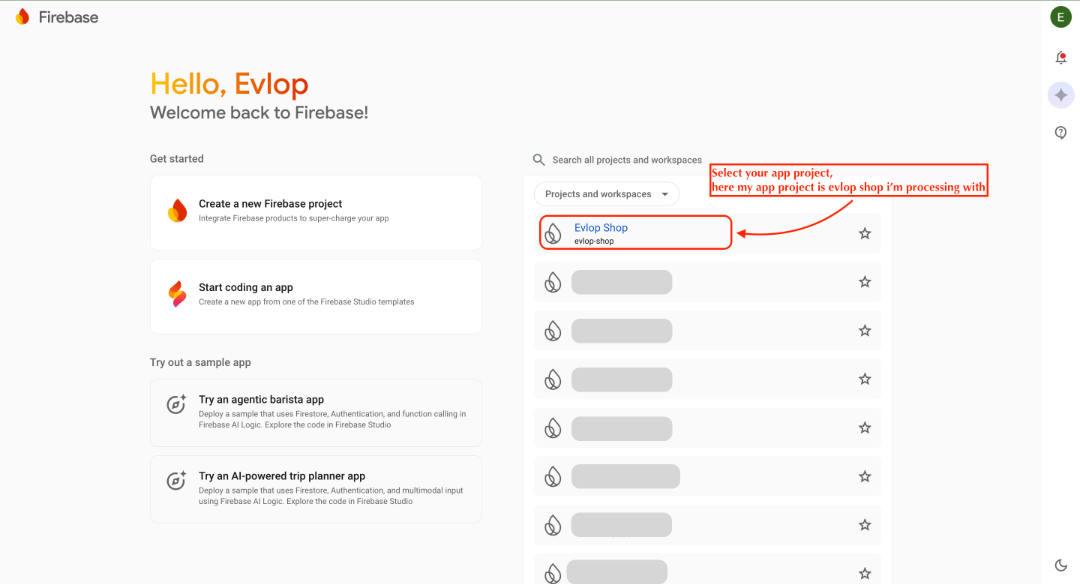
- Go to the Firebase Console.
- Select the Firebase project linked with your mobile app.
Step 2: Go to Google Analytics Settings
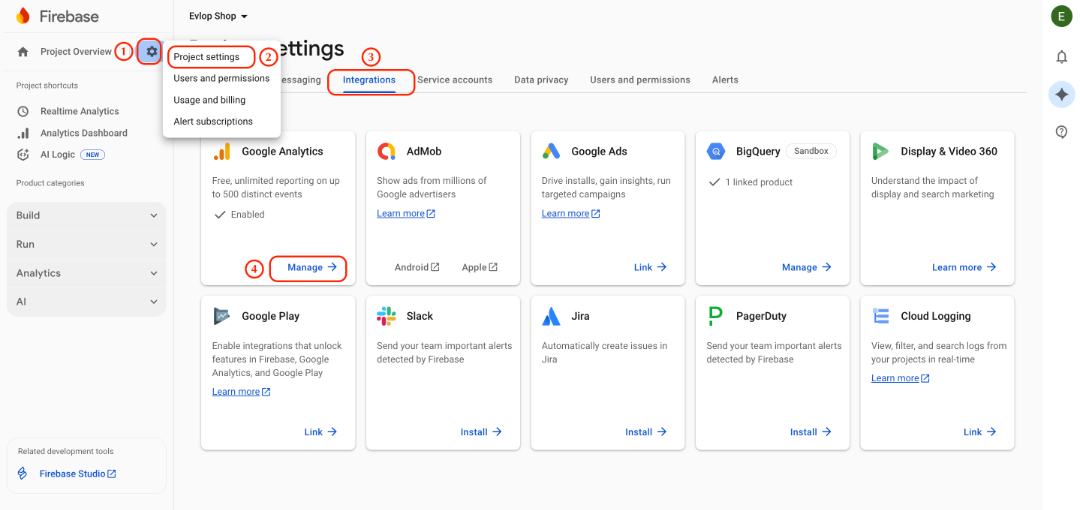
- In the left-hand menu, click on Project Settings (the gear icon).
- Under Settings, select Integrations.
- In the Google Analytics section, click Manage.
- This opens the Google Analytics Admin panel for your connected property.
Step 3: Grant Access to Evlop
- Copy or note the the Property ID
- In the Google Analytics Admin panel, Click Default Account for Firebase under Linked Google Analytics account section.
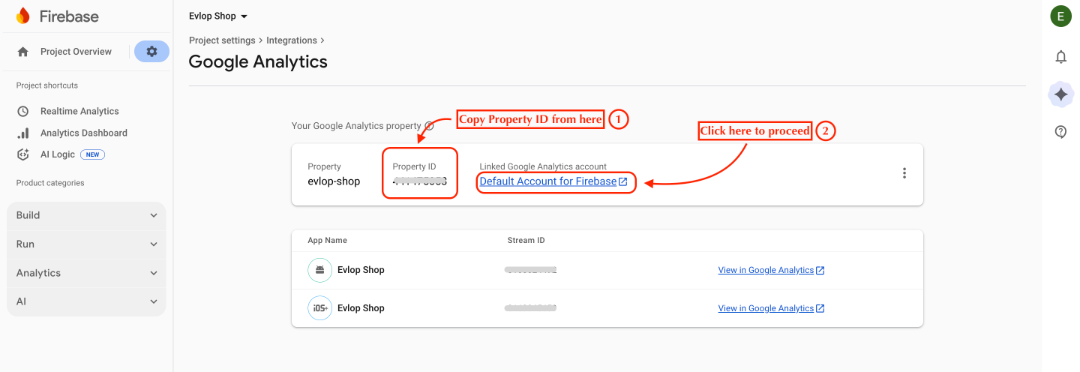
- You will be redirected to the new page i.e., Firebase analytics dashboard - Admin
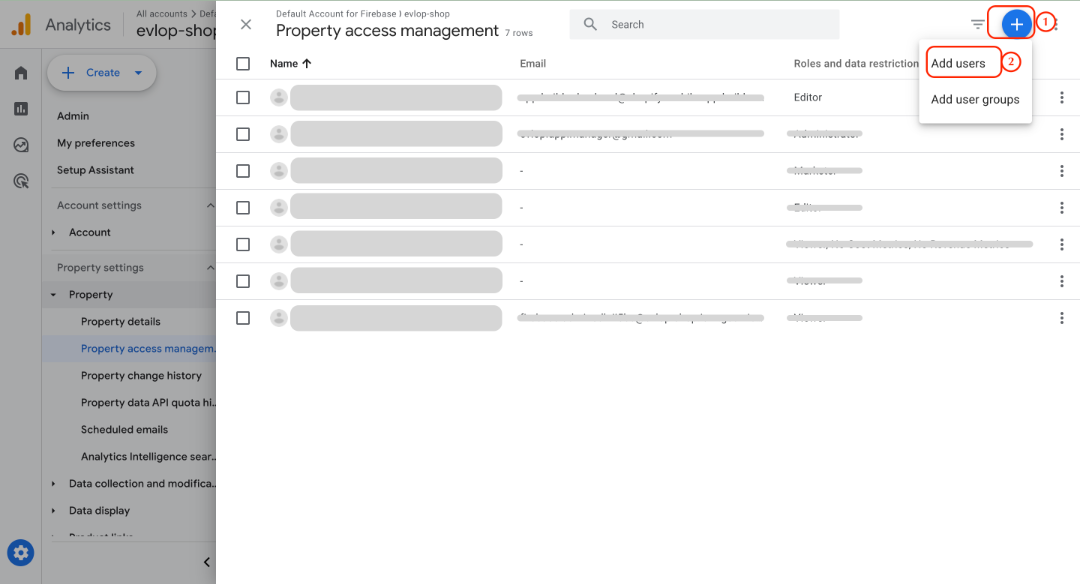
- Navigate and click Property access management.
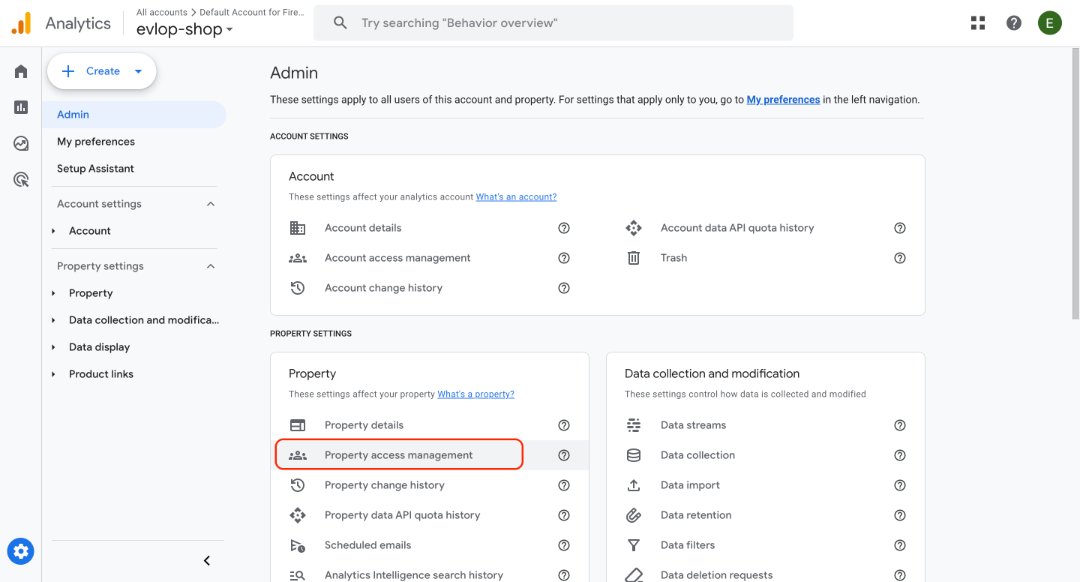
- Click the blue + icon in the top-right corner and select Add users.
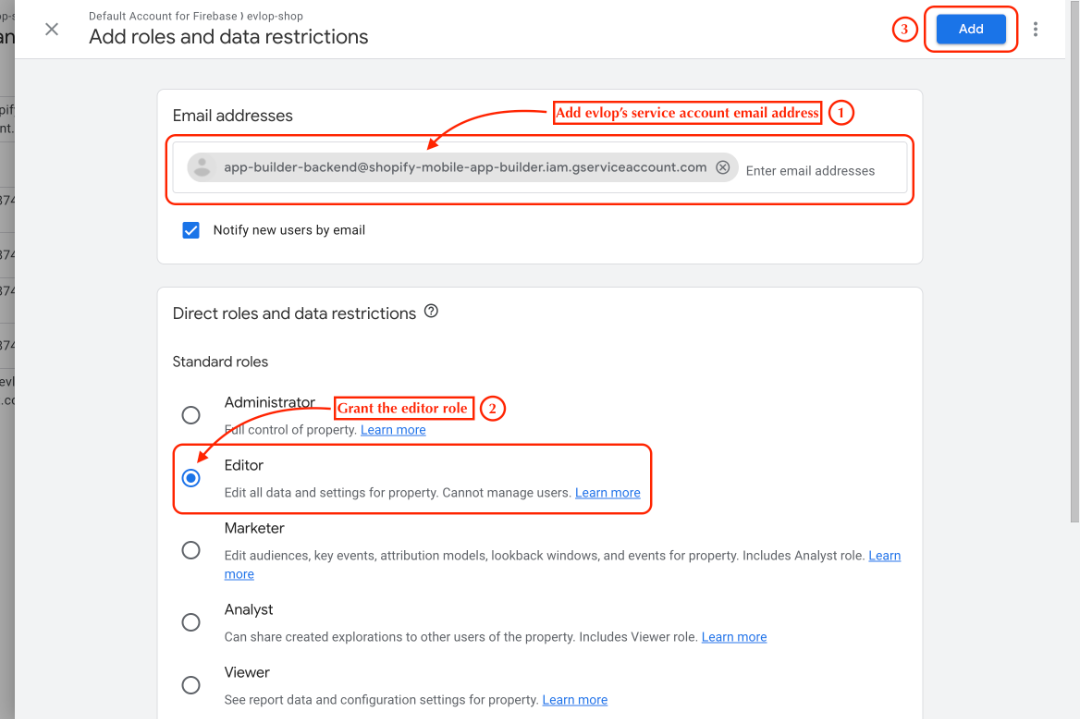
Enter this service account email:
app-builder-backend@shopify-mobile-app-builder.iam.gserviceaccount.com- Under Roles, select Editor.
- This gives Evlop permission to read your app’s analytics data.
- Click Add to save.
Step 4: Enter Property ID in Evlop
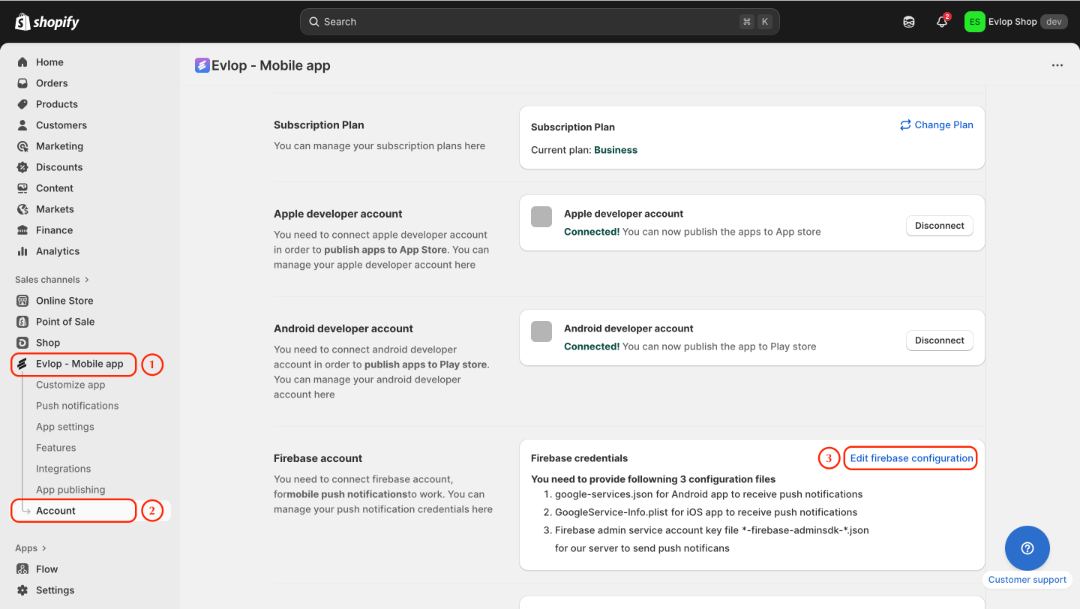
- Log in to your Evlop Mobile App Builder dashboard.
- Go to Account > Firebase Account > Edit firebase configuration.
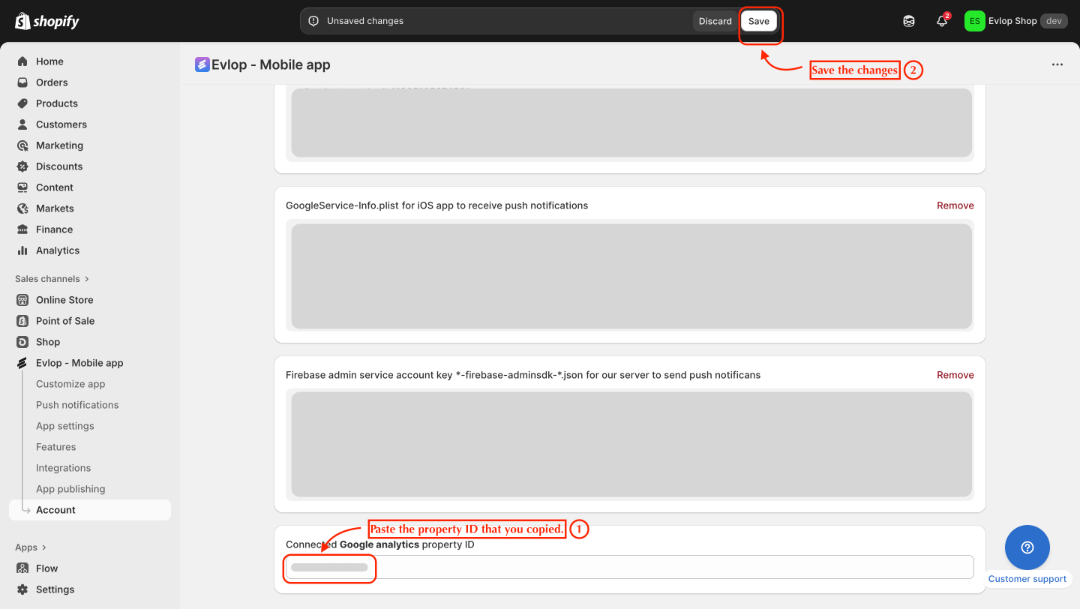
- Find the field named Connected Google Analytics Property ID.
- Paste the Property ID you copied in Step 3.
- Save your changes.
What Happens Next
Once the connection is set up:
- Evlop will securely pull analytics data from your Google Analytics property.
- You’ll start seeing analytics reports directly inside the Evlop dashboard, giving you one central place to monitor app performance.
This means no more jumping between platforms — your app’s key metrics are now available directly inside the Evlop dashboard.