Step 1: Sign in to the Firebase console, and select your project
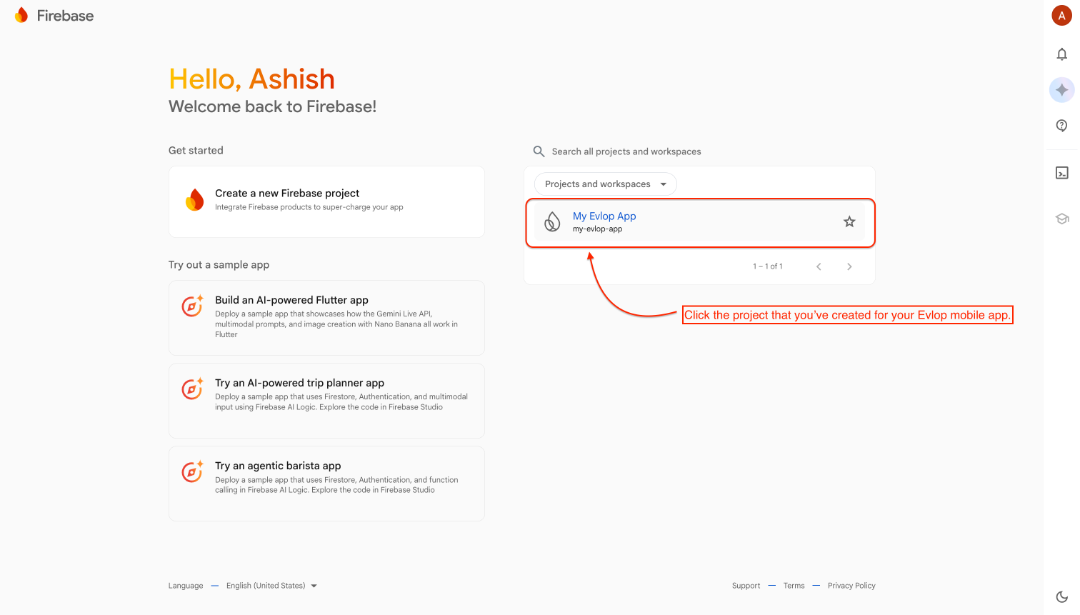
Step 2: Add App
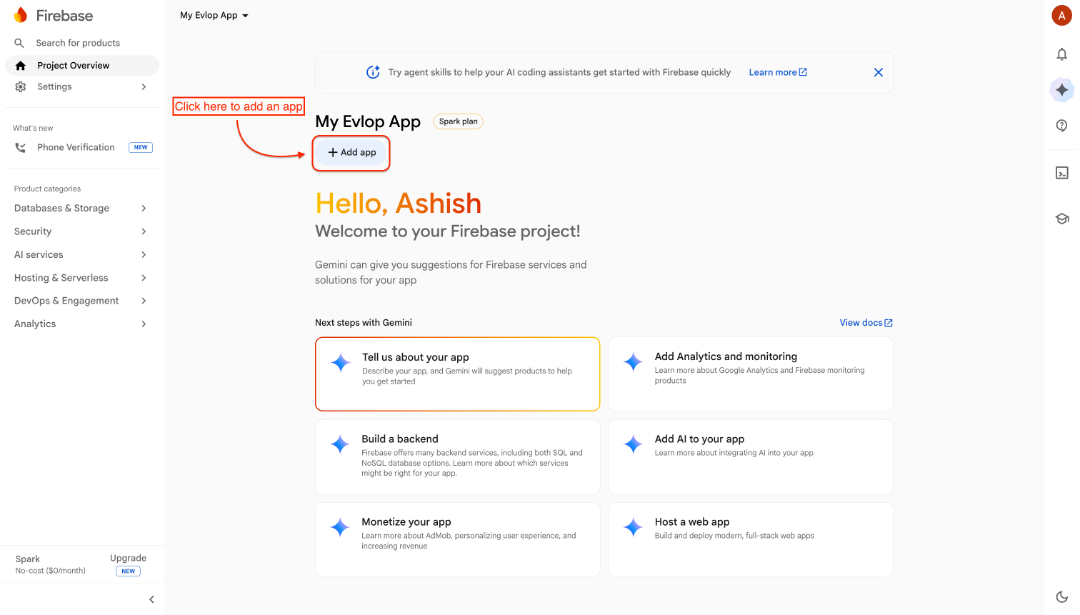
Step 3: Add a new Android app for Firebase
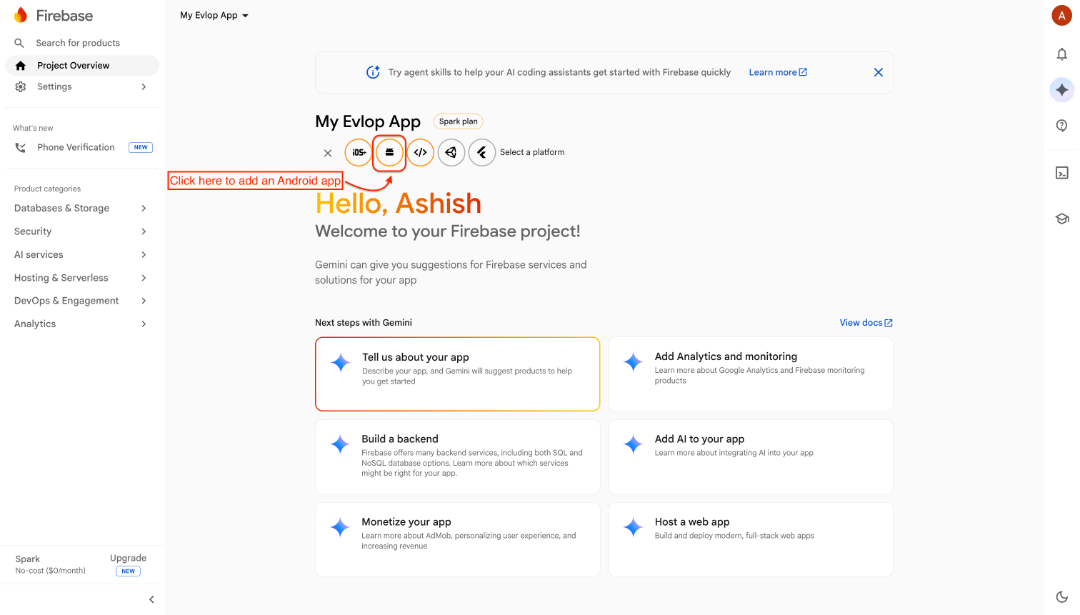
Now, Follow the required steps to add Firebase to your Android app. Here are the steps:
1: Register App
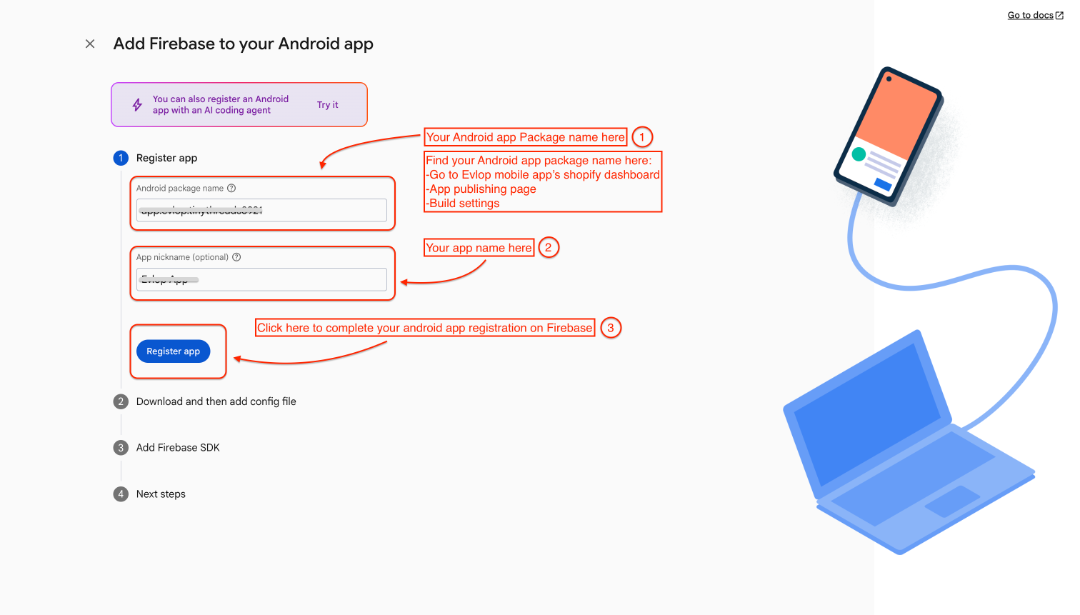
Follow the steps to get the Android package name:
- Go to Evlop mobile app' Shopify dashboard
- App publishing page
- Build settings
- Navigate to the Android package name section and copy it.
2: Download the config file
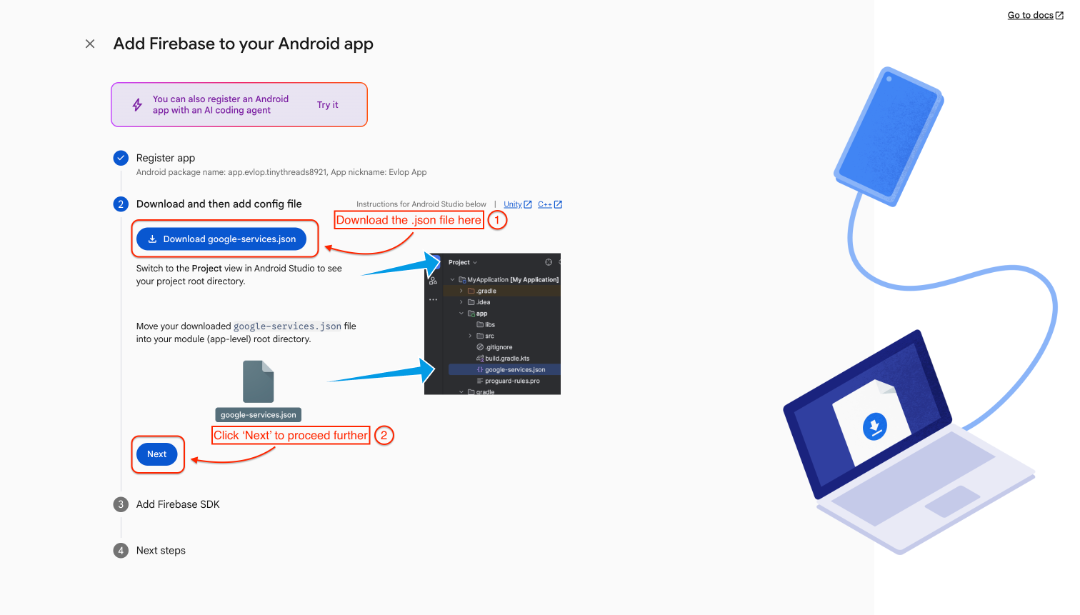
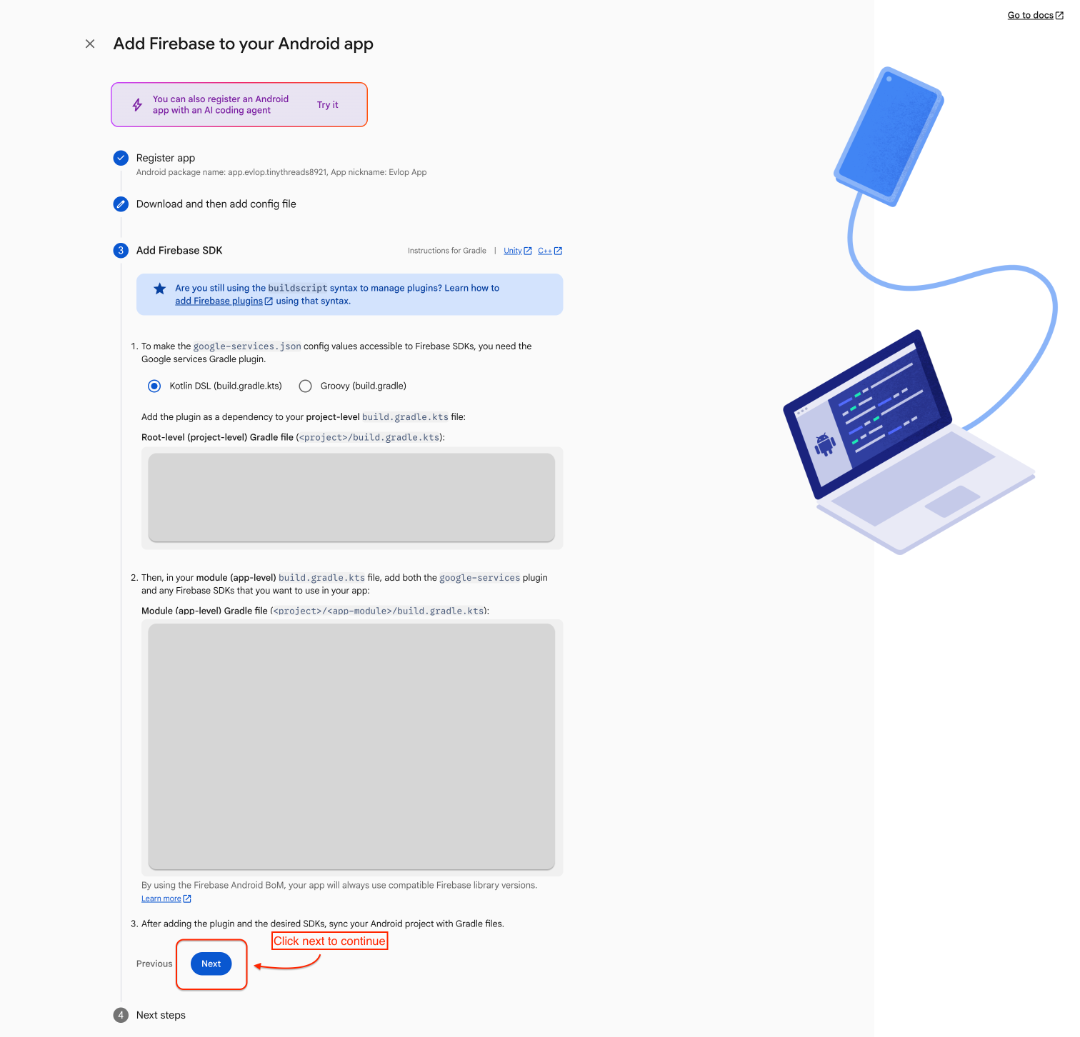
3: Click 'Next' to continue
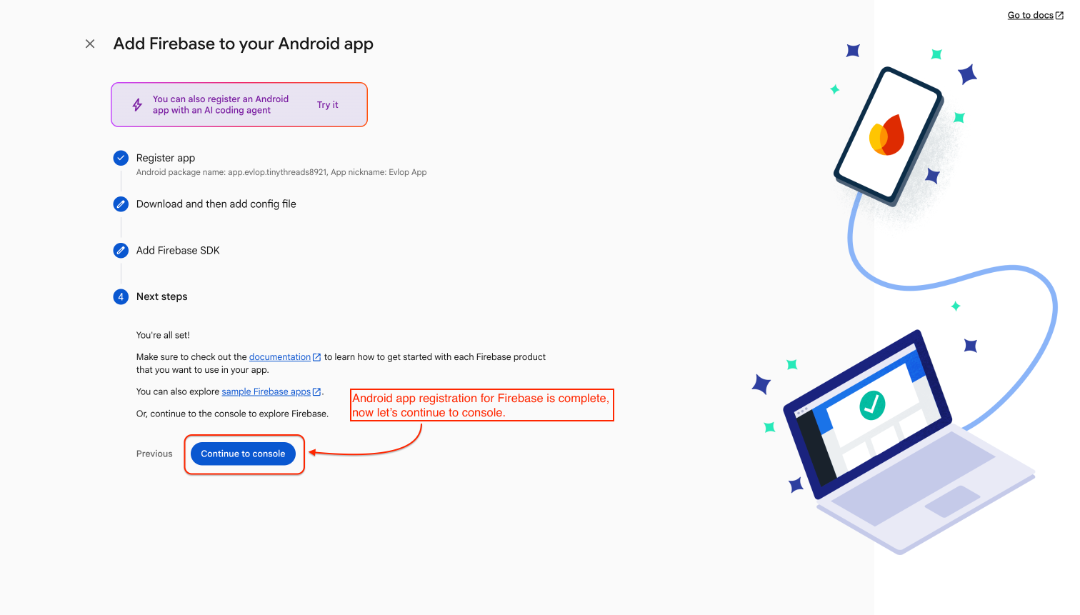
4: App registration complete.
Step 4: Upload your ‘google-service.json’ file
- Go to Evlop mobile app's Shopify dashboard
- Account
- Edit Firebase configuration
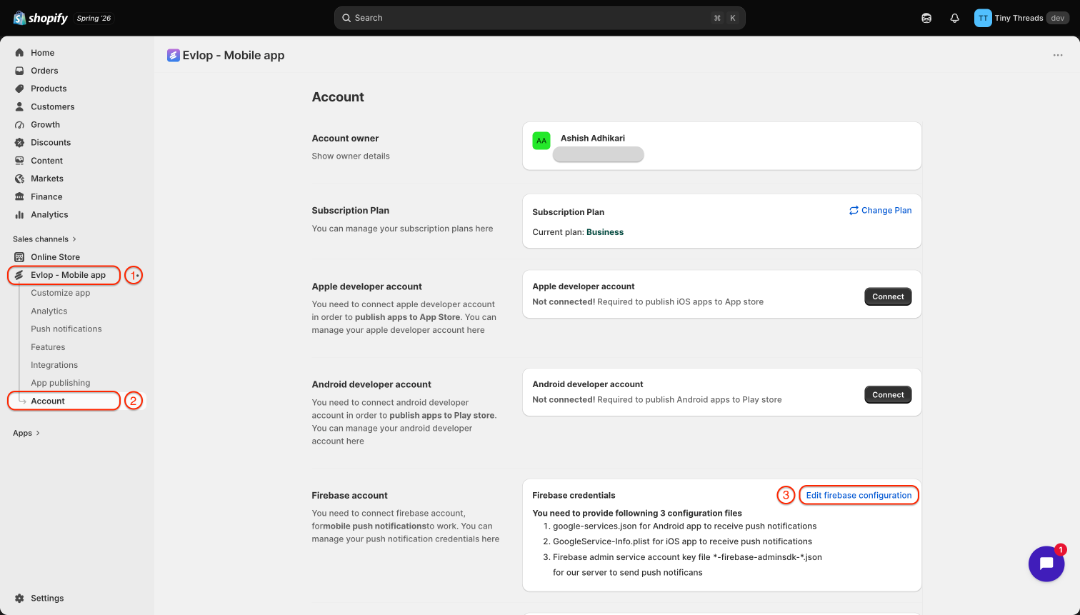
Select the previously downloaded ‘google-service.json’ file and save firebase credentials.
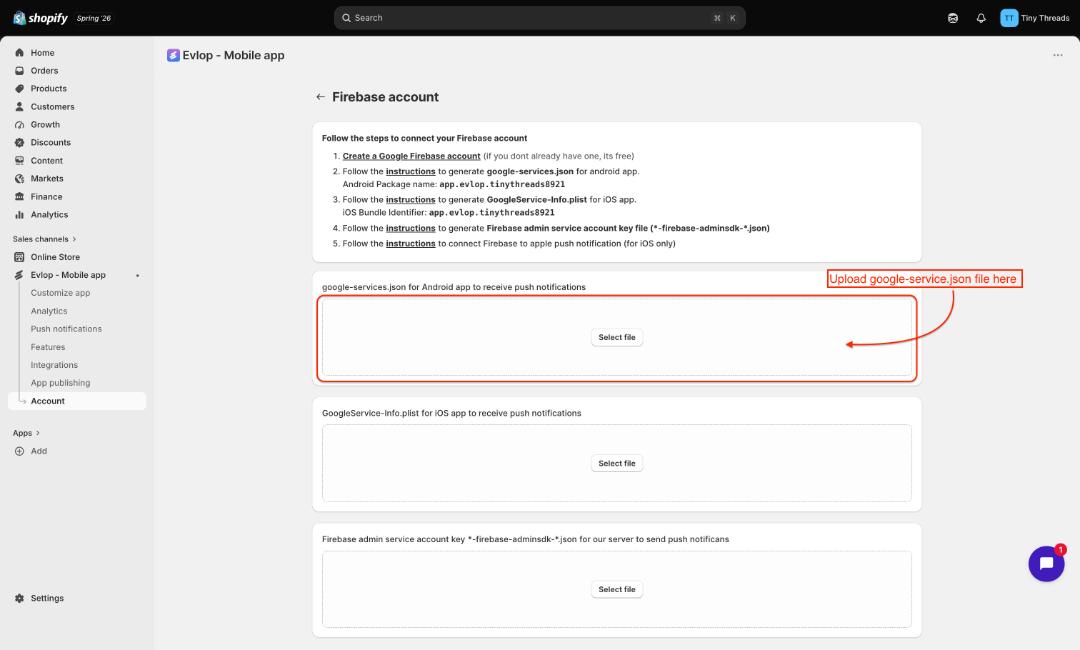
you’ve uploaded ‘google-service.json’ for Android apps.
You can go to IOS apps for an Apple Firebase connection.