What is a Delivery date and time slot chooser?
The Delivery Date and Time Slot Chooser is a custom field option available under the cart custom field feature. This option helps merchants to provide advanced delivery date and time selection options to customers that allow customers to select their preferred date and a specific window of time for the delivery of their order. This provides customers with greater control and convenience over when they receive their purchases, enhancing their user experience and reducing the chances of missed deliveries.
Feature Highlights 🎯
- Define operating areas with Zipcode validation.
- Define and provide available weekdays and timeslots for delivery
- Preparation time
- Max available days to schedule an order for delivery.
- Timezone of an operation.
- Region/Zipcode specific delivery options.
How to add a Delivery date and time slot chooser to the cart page?
➜ Enable the Cart custom fields feature.
➜ Configure the Button details such as button label and icon.
➜ Select a 'Delivery date and time slot chooser' from the Custom cart form field type.
➜ Configure the field as per your requirement.
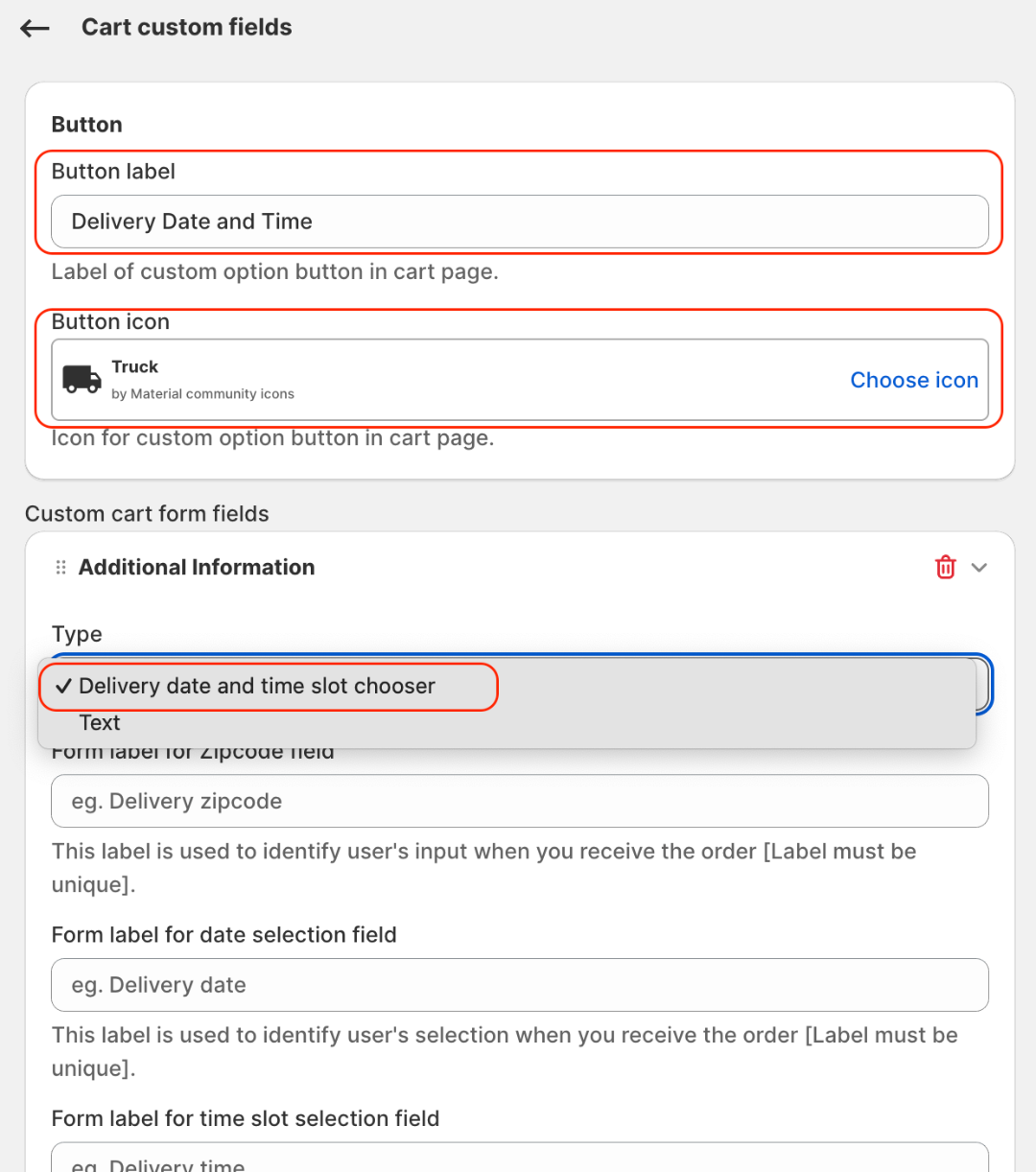
Highlights 🔎
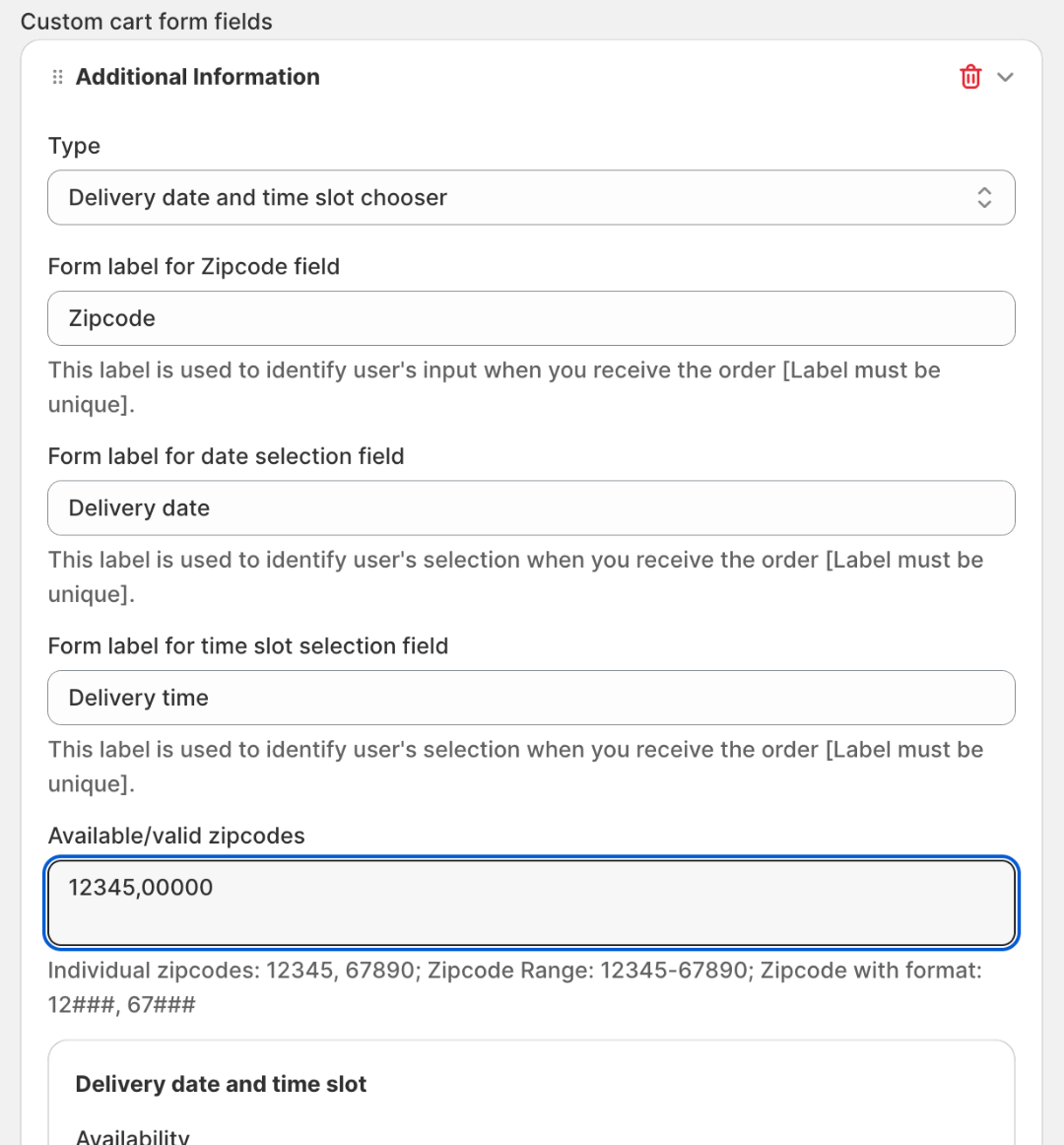
1. Define operating areas with Zipcode validation.
The zip code field indicates delivery availability in the customer's area. Customers with invalid zip code locations cannot place an order, filtering out orders from regions where merchants do not provide services.
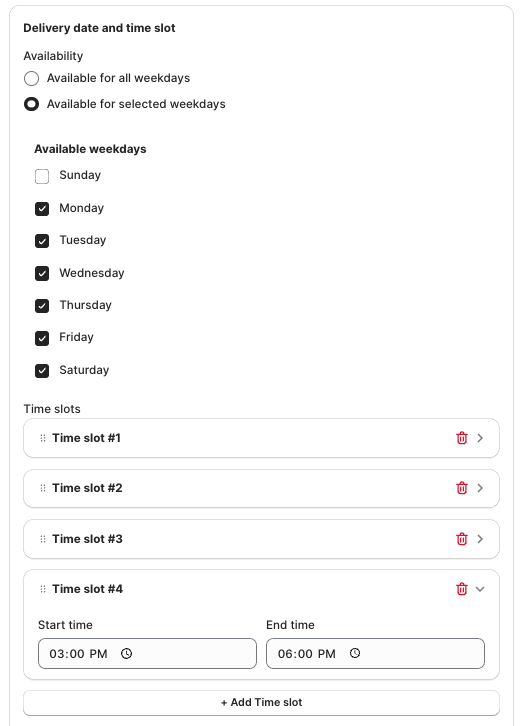
2. Define and provide available weekdays and timeslots for delivery 📅
You can specify whether delivery is provided 24/7 or set specific workdays and hours for delivery. This allows customers to select from your defined dates and time slots. In this example, we have defined Sunday as a day off, which means the app will exclude Sundays from the date picker.
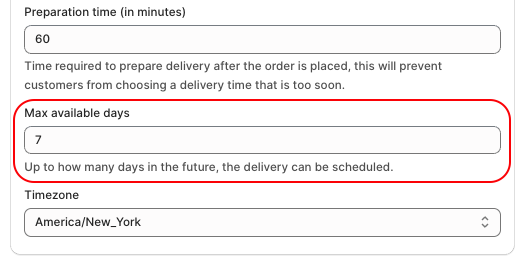
3. Preparation time (if applicable) ⌛
You can set a preparation time to prevent customers from selecting a delivery time that is too soon. For example, if the preparation time is 60 minutes, the app will only display time slots that are at least 60 minutes after the preparation time of that day.
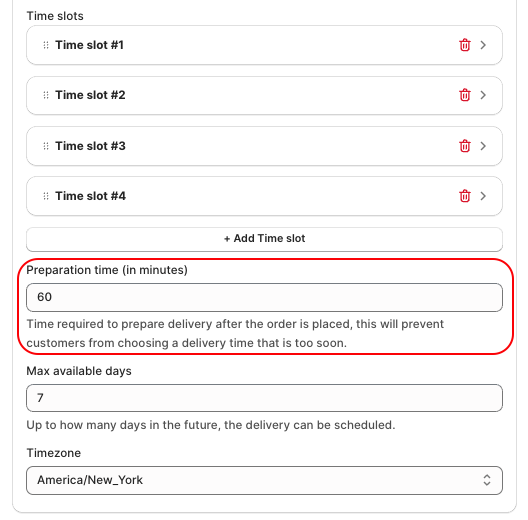
4. Max available days to schedule an order for delivery.🗓
This feature allows merchants to define how many future date options they want to provide to customers for scheduling order delivery.
5. Timezone of an operation.🌍
You can create multiple field options applicable for different time zones, this will be helpful if your operation hours are different in different time zones.

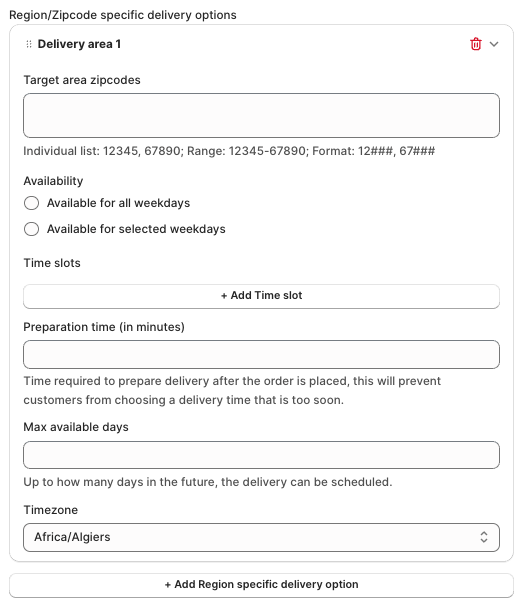
6. Region/Zipcode specific delivery options. 🗺📦
You can set different rules for specific zip code areas or regions. This can be useful for creating distinct time picker options based on customer behavior or working hours in certain areas. These region-specific rules will take precedence over the default delivery rules. You can set multiple rules for various regions or zip code locations as needed.
How customers will see the fields.⤵
.png?v=1744292019000&r=1.85)