第 1 步:获取 APN(Apple 推送通知)密钥。
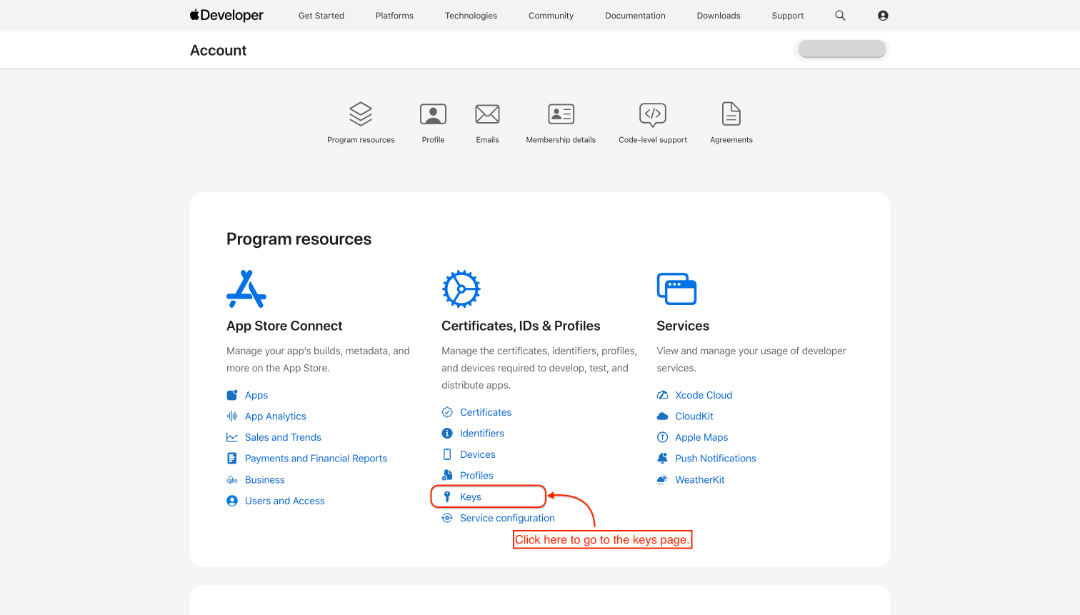
- 登录 👉 Apple Developer Profile。
- 前往 Keys 页面
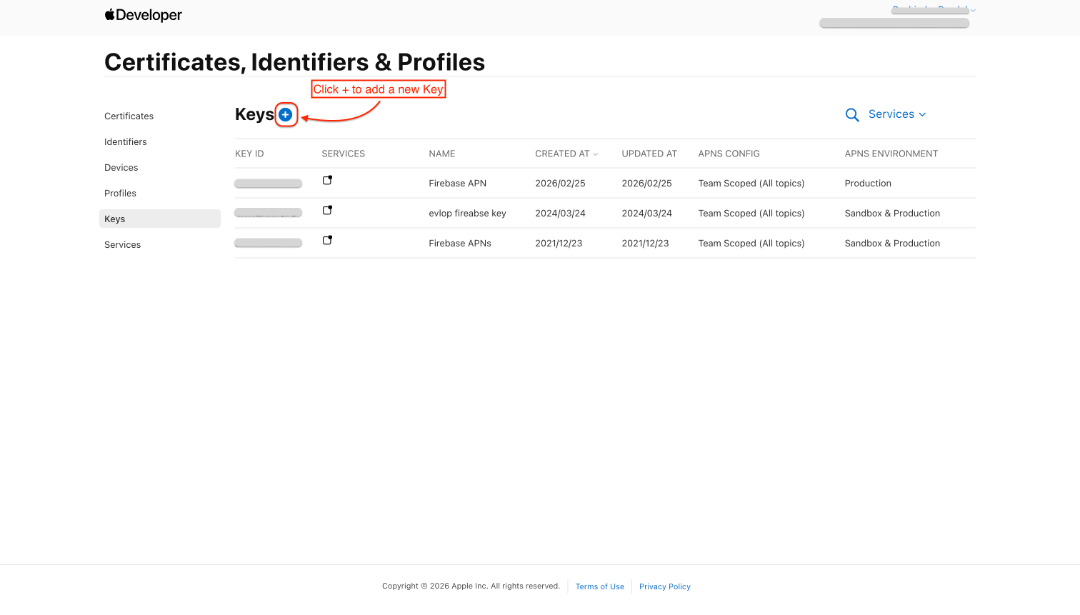
- 点击“+”添加新密钥。
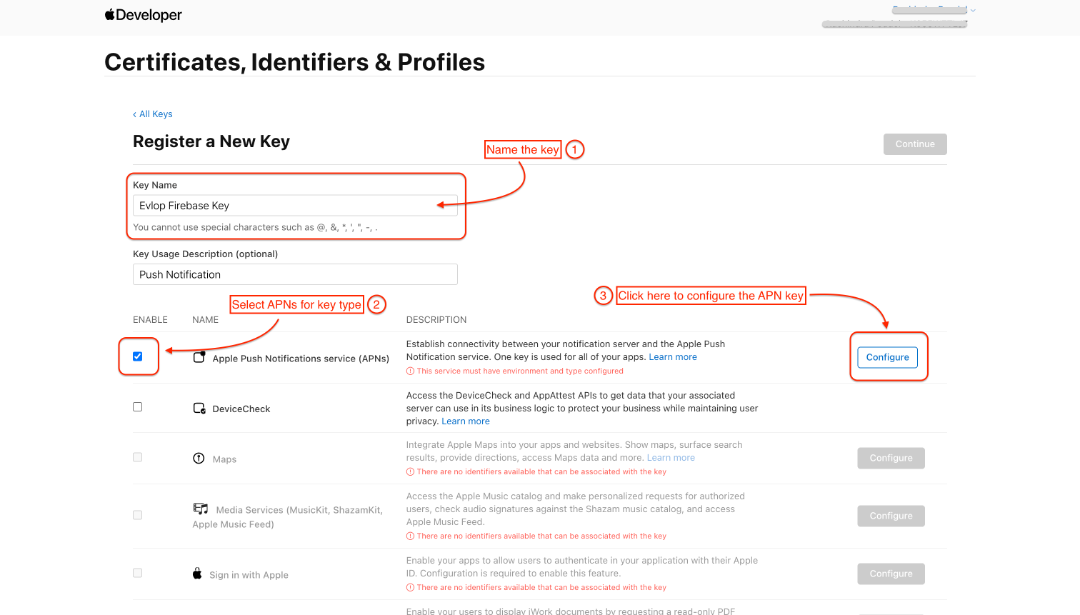
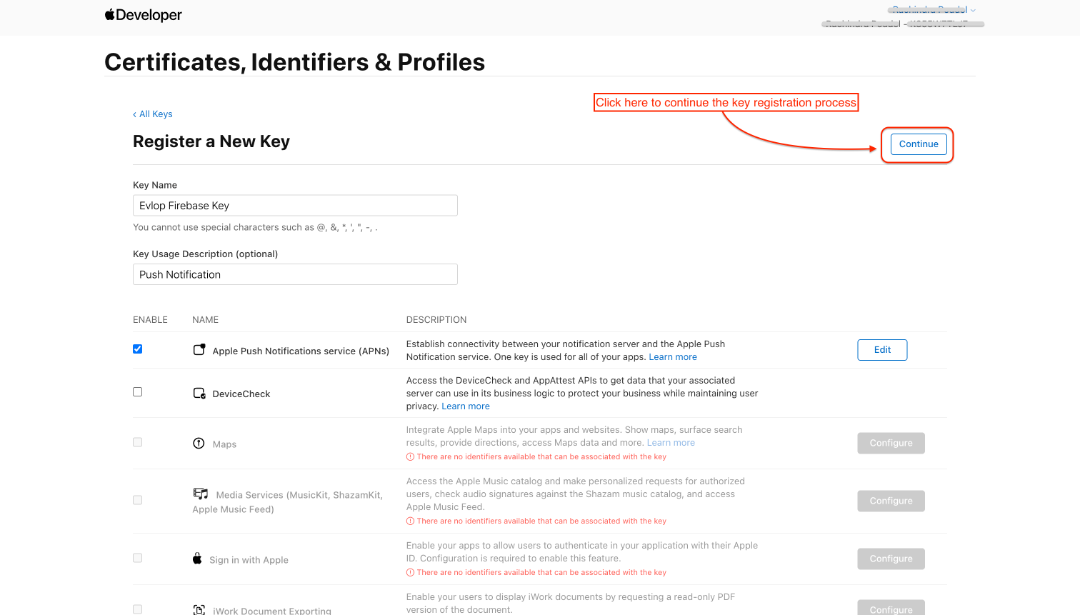
- 为密钥命名
- 勾选 ☑️ Apple Push Notifications Service (APNs),
- 然后点击 Configure。
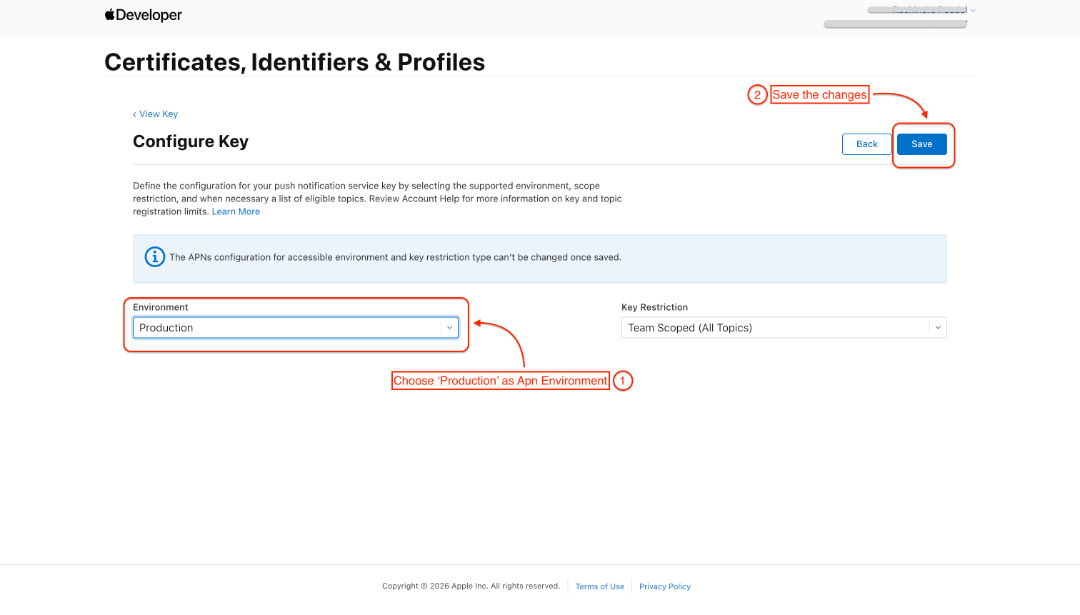
- 选择 Production 作为 APN 环境
- 保存
您将被重定向回 Certificates, Identifiers & Profiles 页面上的密钥注册部分。
- 点击继续
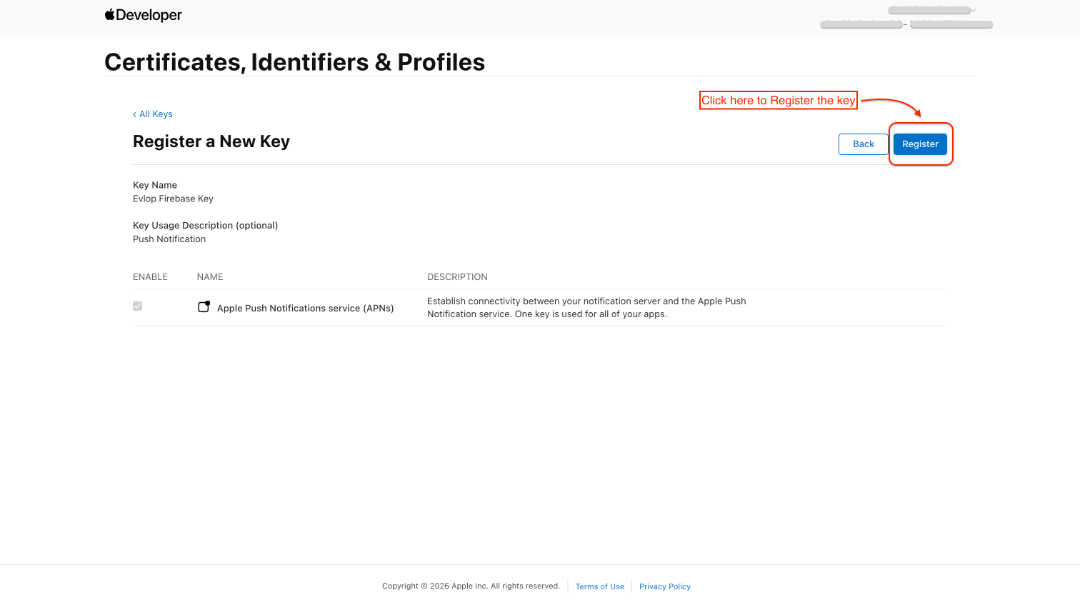
- 注册该密钥
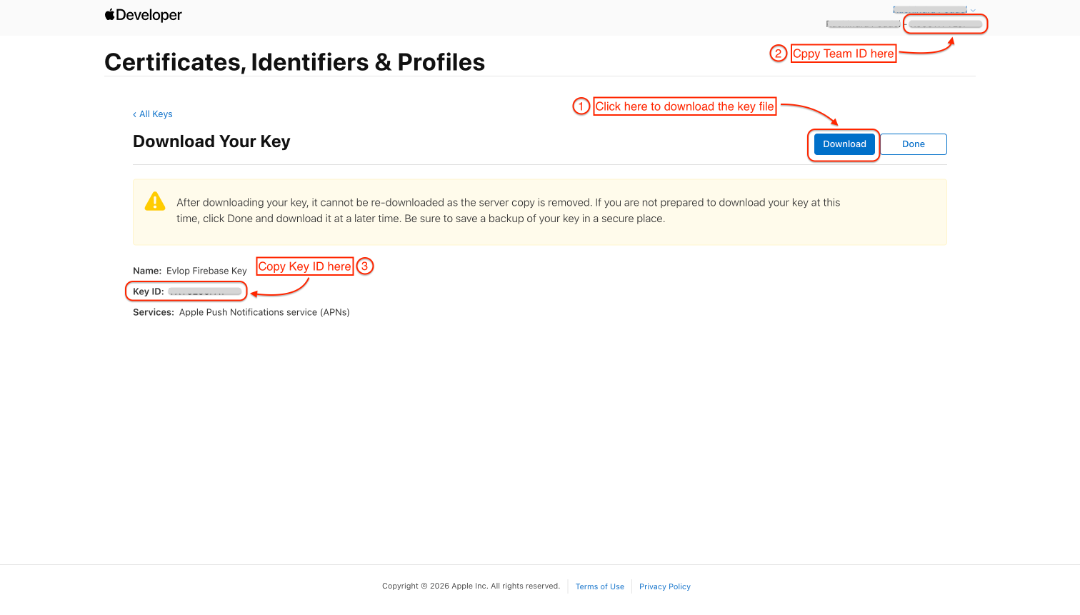
- 下载密钥文件
- 复制 Team ID(同一页面右上角)
- 复制 Key ID
第 2 步:Apple Cloud Messaging 设置
- 前往 Firebase Console。
- 进入您的应用项目
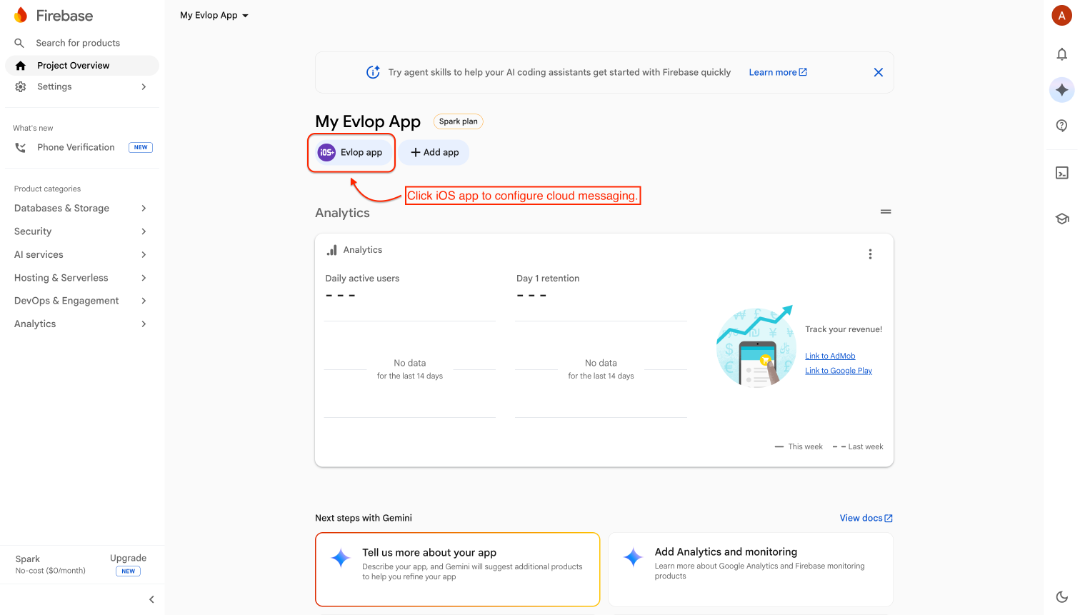
- 点击项目设置下的Cloud Messaging标签页
- 在Apple app configuration板块下找到APNs Authentication Key部分。
- 找到显示No production APNs auth key的部分
- 点击Upload
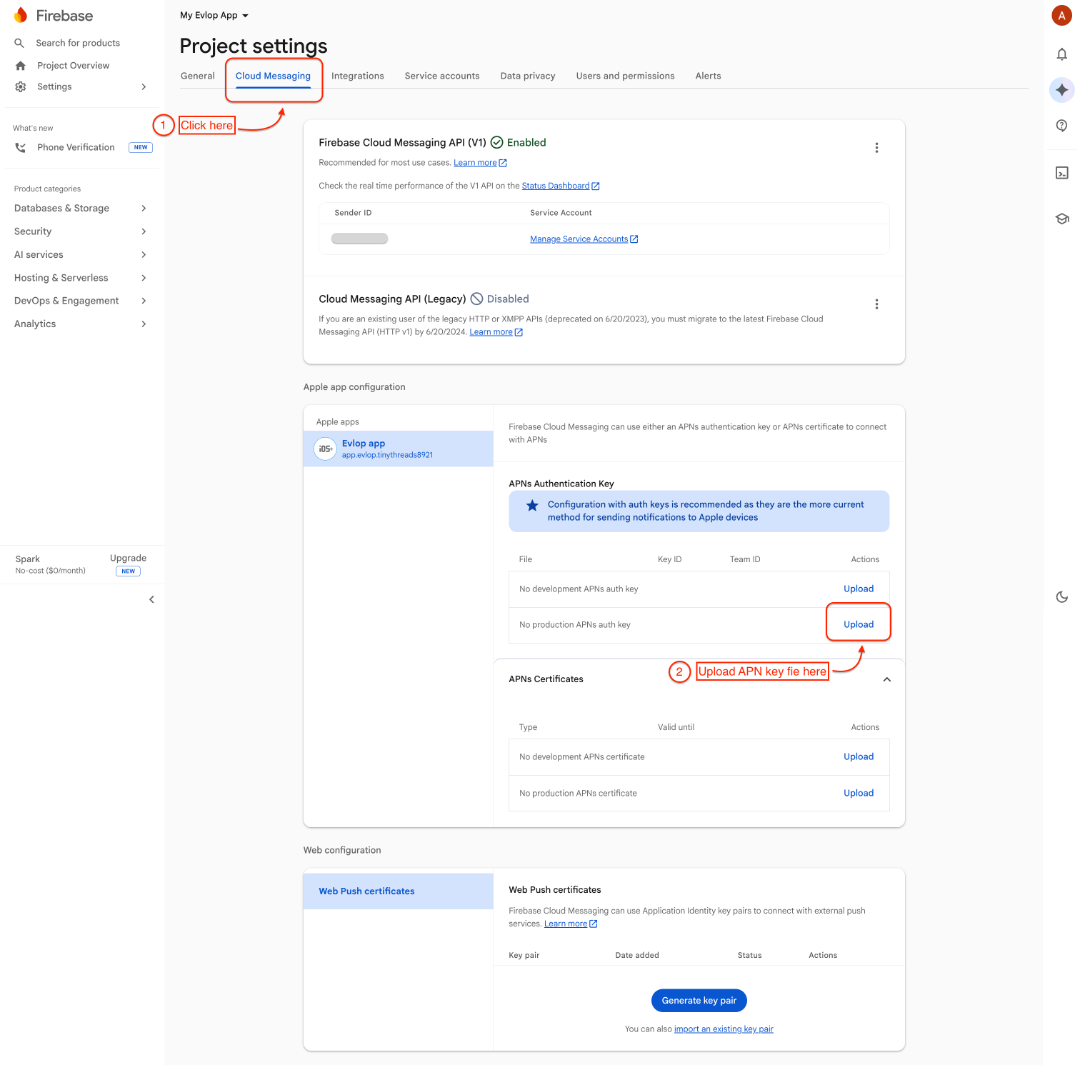
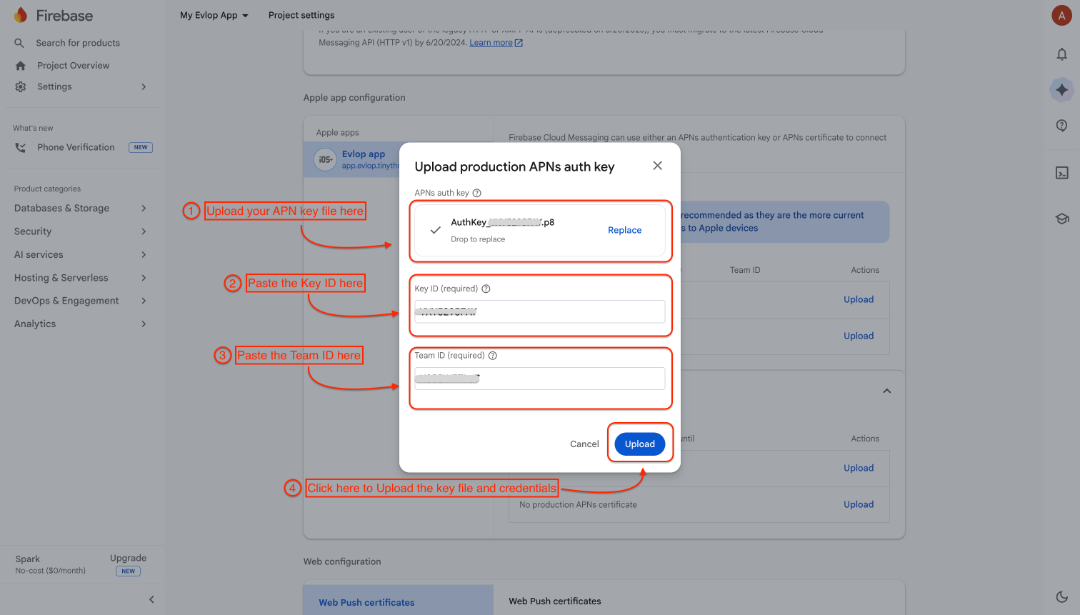
- 上传APNs auth key
- 粘贴Key ID/ Team ID
- 点击Upload提交APN密钥文件和凭据。您现在已成功将Apple Developer Account与Firebase连接。
至此,Apple云消息推送已成功配置。
您可以前往 Android Apps 了解 Apple firebase 连接,并前往 Firebase admin SDK 将您的 firebase 与 Evlop 应用后台连接。