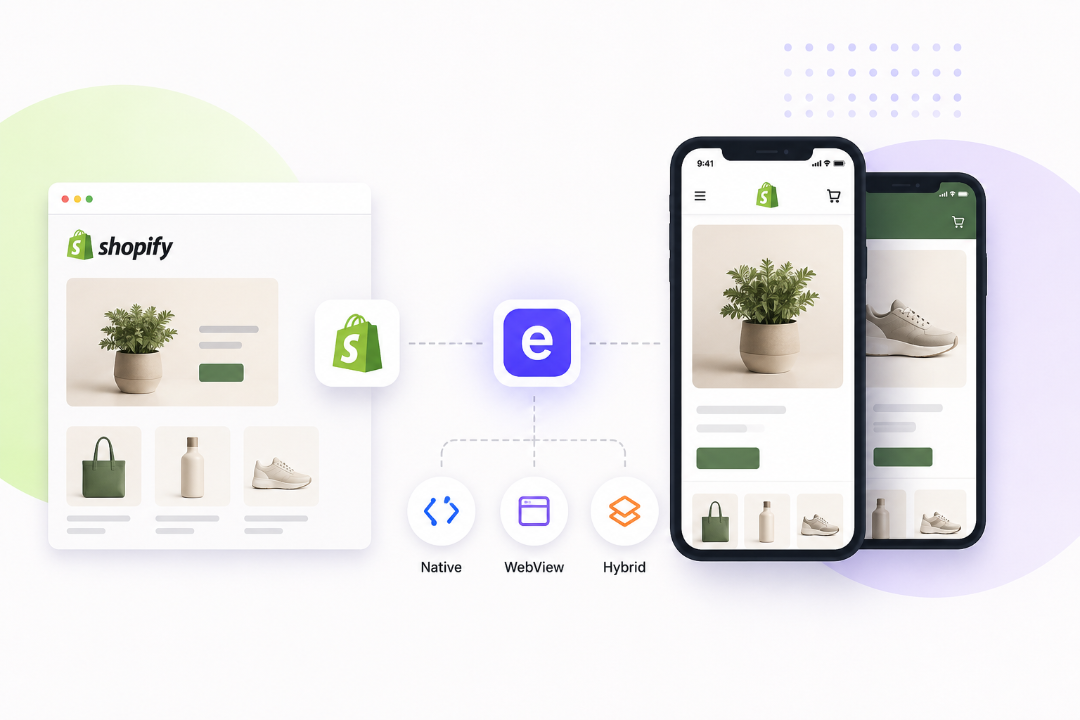
TL;DR: Native or WebView? With Evlop, you don't have to choose. There's a better way: choose page by page, and switch anytime with a toggle instead of a redesign.
Most Shopify app builders make you pick one lane on day one: fully native, or fully webview. That choice is expensive to undo later. A hybrid approach removes the lock-in entirely. You decide, page by page, which screens run fully native and which run as an optimized embed of your website. You can go 100% native, 100% webview, or anywhere in between, and change your mind anytime with a toggle instead of a rebuild.
| Approach | What it means | What it costs you |
|---|---|---|
| Fully native | Every page is a true native screen, built by hand-coding it or by dragging and dropping native components in a no-code builder | Every future update means rebuilding that page again, whether by coding or dragging blocks. Nothing carries over from your website automatically |
| Fully webview | Your website, wrapped in an app shell | Browser elements like headers, footers, and popups often show through, and pages load at your website's speed, not an app's |
| Hybrid | You choose, page by page, and can change anytime | Needs a platform that can strip out the browser parts and keep cart and checkout fully connected, or it ends up feeling patched together |
The choice nobody warns you about
Most merchants building a Shopify app hit the same fork in the road early on. Go fully native, or wrap the website in a webview.
It feels like a technical detail. It isn't. This one decision shapes your whole app, and with most platforms, it's locked in the moment you launch.
Pick native, and every page in your app has to be built from scratch inside the builder's tools. Pick webview, and your app inherits your website's headers, footers, and popups, none of which belong on a phone screen.
The real problem isn't picking wrong. It's that most platforms don't let you change your mind later without starting over.
What native actually gets you
Fully native means every screen in the app is a true native screen. There are two ways to get there. Some teams write code by hand. Most Shopify merchants today use no-code app builders instead, dragging and dropping native components into place without touching a line of code. Either way, the result is the same: a real native screen, not a website pretending to be one.
It feels fast. It feels smooth. It feels like an app, because it is one.
The tradeoff shows up the moment you want to update something. A new product page layout on your website doesn't carry over automatically, whether you're coding or dragging blocks. Someone has to rebuild that page again, inside the app builder, separately from the website.
What WebView actually gets you
A WebView app skips that rebuild. It takes your existing website and displays it inside an app frame.
It's fast to launch. Nothing needs to be redesigned.
But most webview apps look and feel exactly like what they are: a website squeezed into a phone. The header and footer built for a browser are still there. Popups meant for a desktop visitor still pop up. Load times reflect the website, not the snappier feel people expect from an app.
Why this doesn't have to be one or the other
Here's the part most merchants never get told. You don't have to pick a single approach for your whole app.
You can run every page fully native, if that's what your store needs. You can run every page as an embedded webview, if speed to launch matters more. Or you can do something in between: keep your best-performing pages exactly as they are on your website, and build the rest fully native.
It's a dial, not a switch. And the right setting is different for every store.
Cart, checkout, and account screens usually benefit from being fully native. People move through these fast, and speed here directly affects whether someone finishes a purchase.
A product page with a custom configurator, or a collection page you've already spent real design time on, doesn't need to be rebuilt. It just needs to show up inside the app looking and working exactly the way it already does.
How Evlop's WebView Embedding Solves This
Saying "you can mix native and webview" is easy. Doing it well is the hard part, and it's where most platforms fall short in two specific ways.
Changing your mind is usually expensive. On most app builders, if you launch with a webview approach and later decide a page needs to be native, that's a rebuild. Same in reverse. The decision you made on day one quietly becomes permanent, because undoing it costs real time and real development work.
This is where Evlop's WebView Embedding works differently. Every page has a toggle. Native or WebView, your choice, and you can flip it anytime. No rebuild, no new app release, no waiting on a developer. If a page isn't performing the way you want, you change the toggle and move on.
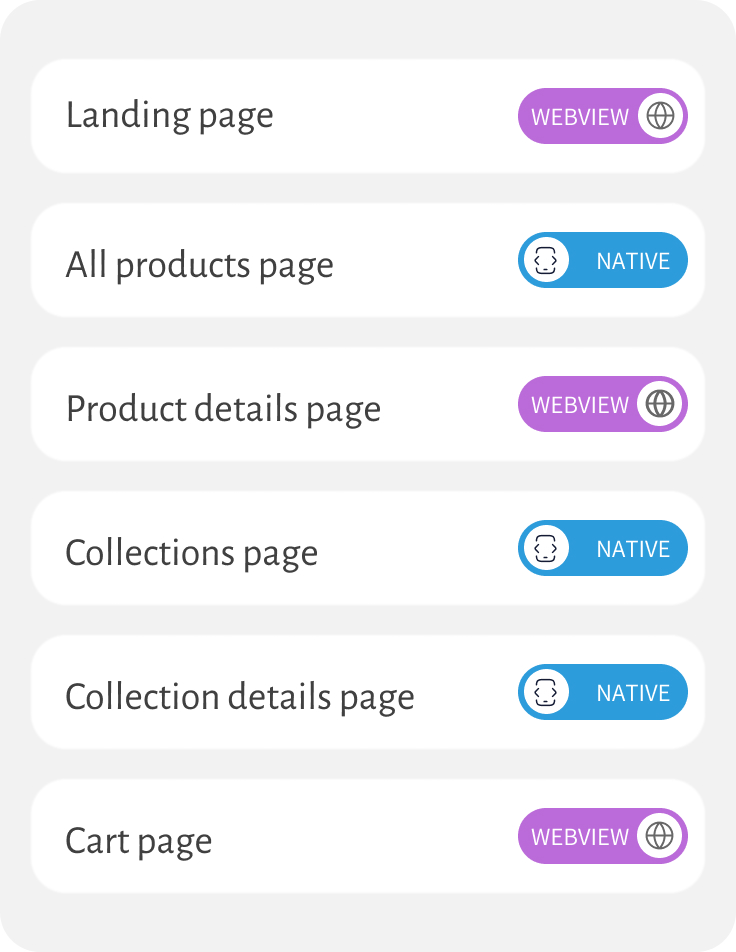
Most webview solutions still feel like a website. Evlop's version doesn't load your whole website into the app. It pulls only the actual page content, the design work you already paid for, and strips out the header, footer, and popups that only make sense in a browser. What's left is wrapped inside the app's native frame, so it looks and behaves like it was built there.
Cart and checkout are part of that same system. Add an item to cart from an embedded product page, and it's a real cart action, not a simulation. That item shows up in the same native cart used everywhere else in the app. Nothing about the experience gives away which pages are embedded and which are native.
Is this the right approach for your store?
Hybrid works well if most of these sound like you:
- You already have a well-designed Shopify storefront worth keeping
- You want an app live quickly, without rebuilding pages that already work
- You want your website and app to stay in sync automatically
- You're not sure yet which pages should be native, and want the freedom to test and change later
A fully native build might be worth doing if:
- Your app needs to look and feel different from your website
- Your website itself has performance problems you don't want carried into the app
Still deciding between platforms entirely? Our comparison of the best Shopify mobile app builders breaks down Evlop against Tapcart, Shopney, MobiLoud, and others on pricing and integration depth.
What this looks like day to day
A merchant launches their app with a mostly WebView setup. It's fast to get live, and their site already looks good.
A few weeks in, they notice their product pages feel slightly slower than the rest of the app. They flip the toggle for just that page to native. Ten minutes later, it's fixed. No developer, no new build, no waiting for approval.
Meanwhile, their collection pages, which are already performing well as embedded pages, stay exactly as they are. Nothing forces an all-or-nothing decision, and nothing they choose today is permanent.
The real advantage isn't native or WebView. It's not being stuck.
Every app builder will tell you their approach is the right one. The honest answer is that the right approach depends on the page, and it might change six months from now.
The platforms worth using are the ones that let you change your mind without paying for it twice.
That's what Evlop's WebView Embedding is built for: full flexibility today, and the freedom to adjust later without starting over.
Once your architecture is set, Evlop's Analytics shows you exactly the app is performing.
See what your storefront looks like as a hybrid app. Get started with Evlop.