Evlop의 Shopify 대시보드에서 (Build and upload to Play Store)를 통해 Play Store에 앱을 요청하는 중 Manual upload required❗ 오류 메시지가 표시된다면, 몇 가지 원인이 있을 수 있습니다.
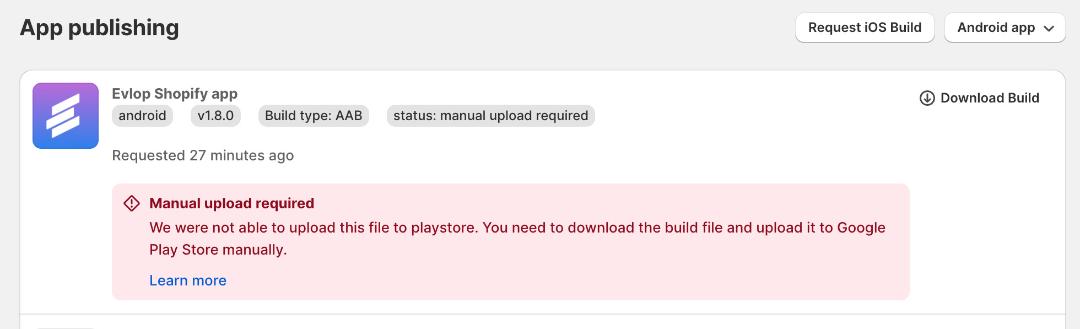
조건
- 아직 Android 앱의 첫 버전을 게시하지 않은 경우.
- Google Play Console과의 서비스 계정 연결을 누락한 경우.
- 클라우드 프로젝트에서 Google Play Android Developer API 활성화를 누락한 경우.
📌 조건 1: 아직 Android 앱의 첫 버전을 게시하지 않은 경우.
Android 앱에서 'Build and Upload to Play Store' 옵션이 의미하는 바를 알아보겠습니다.
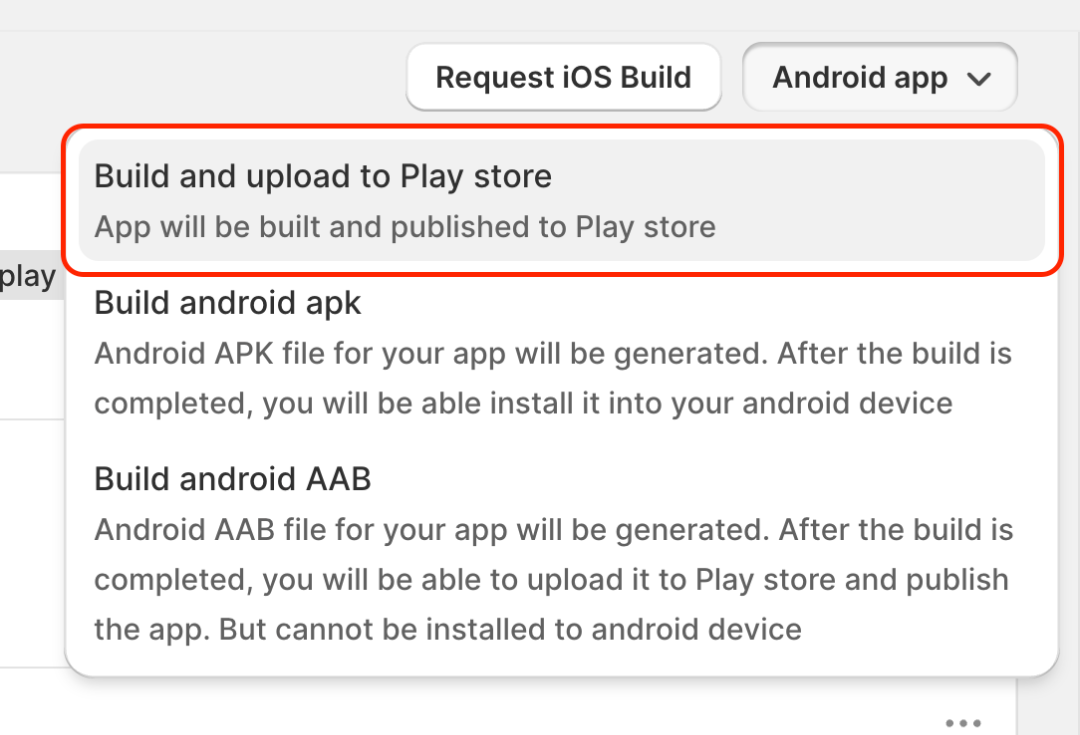
Build and Upload to Play Store 는 Android 앱을 Evlok 모바일 앱의 Shopify 대시보드에서 직접 업데이트를 제출하도록 설계된 기능으로, 빌드가 완료되면 자동으로 검토를 위해 앱 업데이트를 제출합니다. 이를 통해 앱 번들을 다운로드·업로드·수동 제출할 필요 없이 Evlok의 Shopify 대시보드에서 손쉽게 앱을 업데이트할 수 있습니다.
하지만 Play Store에 첫 번째 버전을 아직 게시하지 않았거나 Google Play Console에 앱을 생성하지 않았거나 아직 .AAB 파일을 업로드하지 않은 경우 Manual Upload Required 오류가 발생할 수 있습니다. 첫 번째 버전을 Play Store에 게시하는 방법은 해당 문서를 참고하세요.
https://evlop.com/docs/publishing-android-app-for-the-first-time-with-evlop
📌 Condition 2: If you missed the Service Account Connection with your Google Play Console.
Android 개발자 계정을 Evlok 모바일 앱에 연결할 때 Google Play Console에 Google Cloud 프로젝트 서비스 계정 이메일을 관리자로 추가하지 않으면 Manual upload required 오류가 발생할 수 있습니다.
해결 방법을 따라 주세요.
1단계: 서비스 계정 이메일을 확인하세요.
- https://console.cloud.google.com/iam-admin/serviceaccounts 로 이동하세요.
- 프로젝트를 선택하세요.
- 서비스 계정 이메일을 복사하세요.

2단계: 서비스 계정 이메일에 관리자 권한을 부여하세요.
- Google Play Console에 접속하세요.
- 사이드바에서 Users and Permissions 페이지로 이동하세요.
- Invite New User를 클릭하세요.

- 복사해 둔 서비스 계정 이메일(Service Account Email) ID를 붙여넣기하세요.
- Account Permissions를 클릭하세요.
- Admin (all permissions) 체크박스를 선택하세요.
- Invite User를 클릭하세요.

- Send invite로 초대를 확정하세요.

서비스 계정 이메일을 관리자 권한으로 Google Play Console에 추가한 후, 새 Android 빌드, 즉 Build and upload to Play Store를 요청하여 정상적으로 업로드되는지 확인해 주세요.
여전히 Manual upload required 오류가 발생한다면, 조건 3으로 진행해 주세요.
📌 조건 3: 클라우드 프로젝트에서 Google Play Android Developer API를 활성화하지 않은 경우.
Android 개발자 계정을 Evlop 모바일 앱에 연결할 때 Google Cloud 프로젝트에서 Google Play Android Developer API를 활성화하지 않으면 Manual upload required 오류가 발생할 수 있습니다.
아래 단계에 따라 문제를 해결하세요.
- https://console.cloud.google.com/apis/dashboard 로 이동하세요
- +ENABLE APIS AND SERVICES를 클릭하세요

- 아래로 스크롤하세요.
- Google Play Android Developer API를 찾아 클릭하세요

- Google Play Android Developer API를 활성화하세요


Google Play Android Developer API가 성공적으로 활성화되었습니다.
이로 인해 수동 업로드 필요 오류가 해결됩니다. 새로운 Android 빌드를 요청하여 확인해 주세요. 예: 빌드 및 Play Store에 업로드.
제출이 성공하면 앱 빌드 상태가 Play Store에 업로드됨으로 표시됩니다. 이는 당사 앱 빌더 시스템이 이제 앱 업데이트를 직접 Google Play 콘솔에 제출할 수 있음을 의미합니다. 앱이 이미 프로덕션에 있다면 업데이트가 자동으로 검토를 위해 제출됩니다.

이렇게 변경한 후에도 문제가 해결되지 않으면 이메일(support@evlop.com) 또는 Evlop 모바일 앱의 Shopify 대시보드에 있는 라이브 채팅을 통해 Evlop 지원팀에 문의해 주세요.