Schritt 1: Shopify Inbox installieren.
- Gehe zu https://apps.shopify.com/inbox
- Installiere die App in deinem Shopify‑Store
- Erstelle ein Konto und schließe den Konfigurationsprozess ab.
Schritt 2: Die Shopify Inbox‑Integration aktivieren.
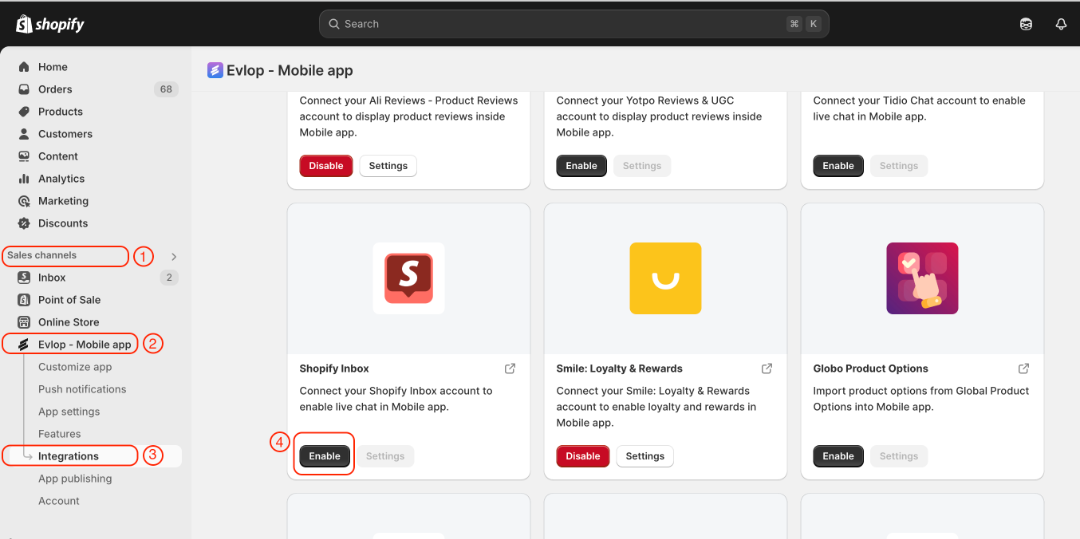
- Gehe zum Sales channel Abschnitt deines Shopify‑Dashboards.
- Wähle evlop mobile app
- Öffne die Seite Integrations .
- Navigiere zu Shopify Inbox
- Aktiviere die Shopify Inbox‑Integration.
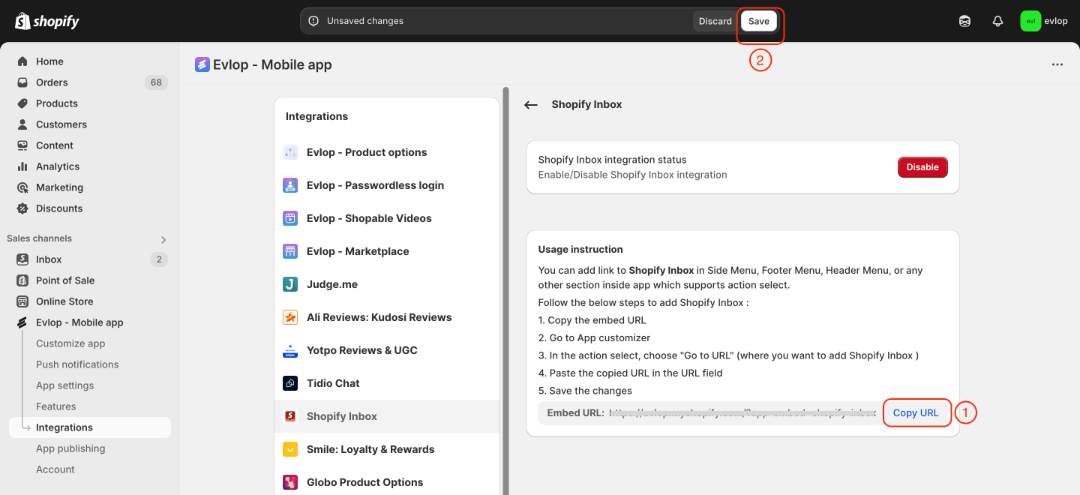
- Kopiere App Embed URL.
- Speichere die Änderungen.
Schritt 3: Eine Chat‑Seiten‑Aktion erstellen.
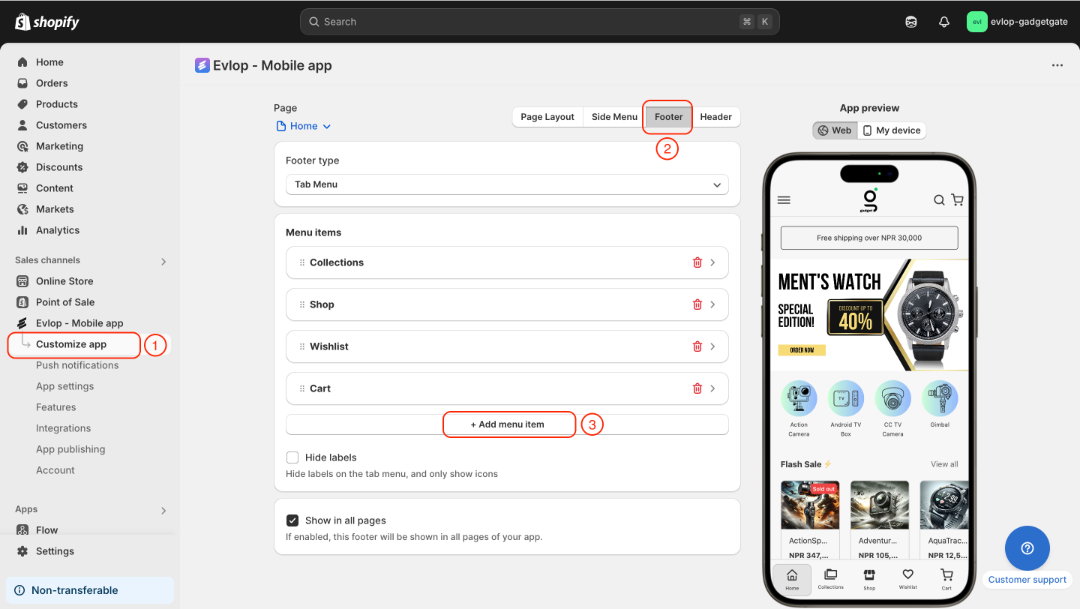
- Gehe zur Seite App anpassen.
- Entscheide den Bereich, in dem du eine Chat-Option hinzufügen möchtest. (z. B. Footer, Header, Seitenmenü oder eine beliebige Seite deiner Wahl)
- Füge ein Menüelement oder einen Bereich hinzu.
- Wähle als Aktion „URL öffnen“.
- Füge die kopierte URL in das URL-Feld ein
- Speichere die Änderungen
Hier fügen wir eine Chat-Option zum Footer hinzu.
- Wähle Footer auf der Seite App anpassen.
- Füge ein neues Menüelement hinzu.
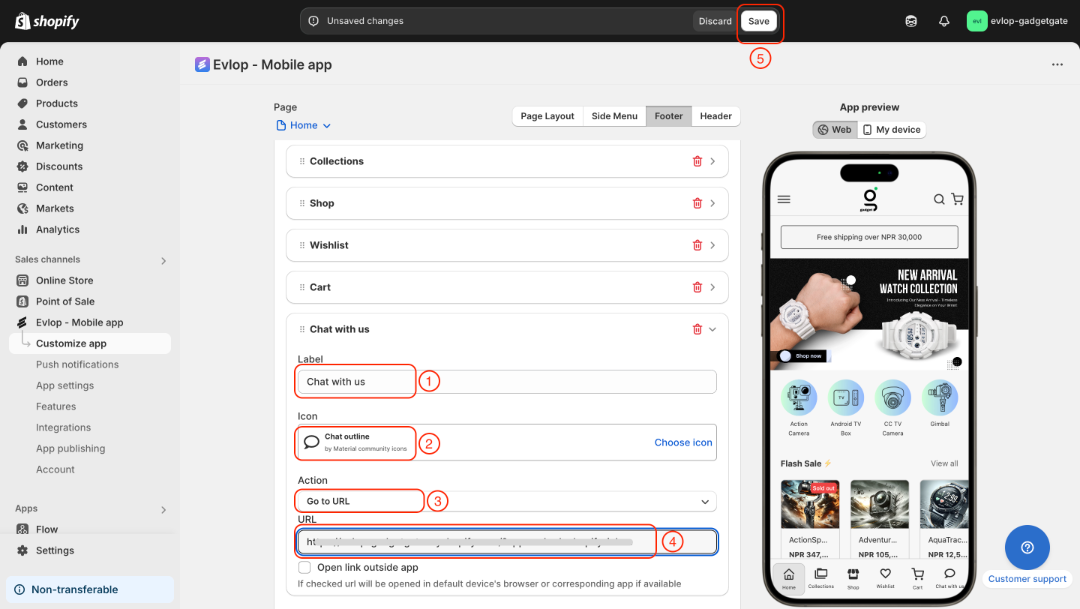
- Beschrifte die Chat-Option
- Wähle ein Symbol
- Lege als Aktion URL öffnen fest
- Füge die App-Embed-URL ein, die du von der Shopify-Inbox-Integrationsseite kopiert hast.
- Speichere die Änderungen
Die Integration zwischen der Evlop Mobile App und Shopify Inbox ist abgeschlossen.