Schritt 1: Installiere Globo Product Options.
- Gehe zu https://apps.shopify.com/product-options-pro
- Installiere die App in deinem Shopify-Store
- Erstelle ein Konto und schließe die Konfiguration ab.
Schritt 2: Hol dir deine Globo-Optionssatz-Datei.
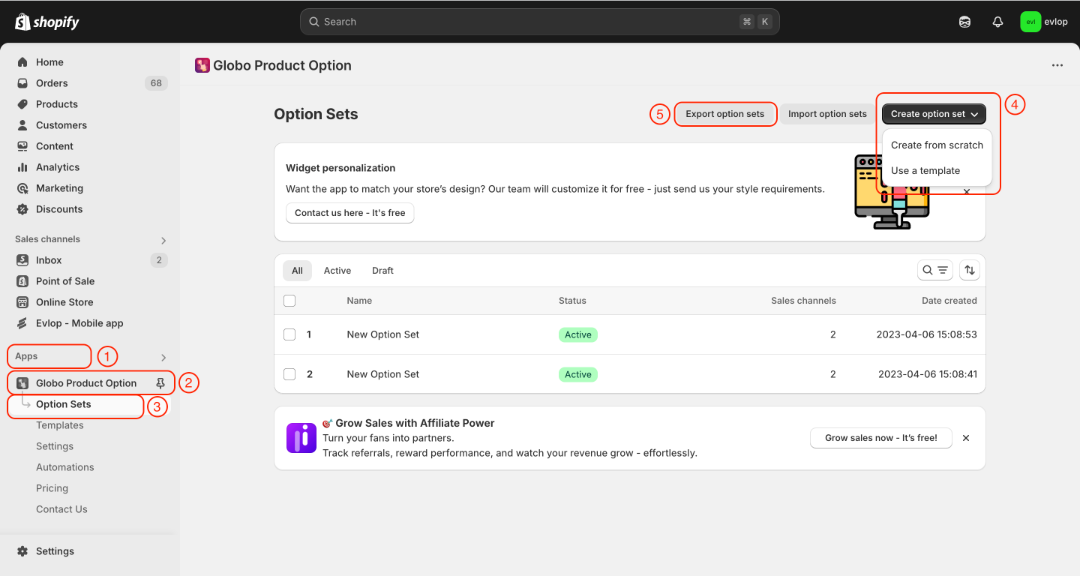
- Gehe zum Bereich Apps in deinem Shopify-Dashboard.
- Wähle Globo Product Options
- Erstelle Optionssätze.
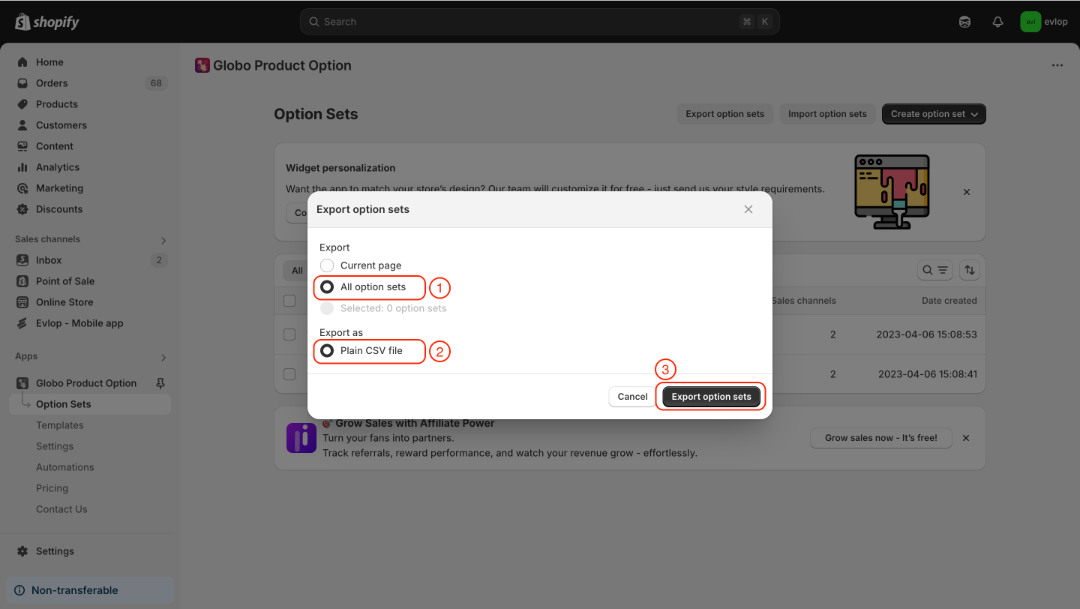
- Exportiere die Optionssätze
- Alle Optionssätze
- Exportieren als: Einfache CSV-Datei
- Optionssätze exportieren
Schritt 3: Aktiviere die Globo Product Options-Integration.
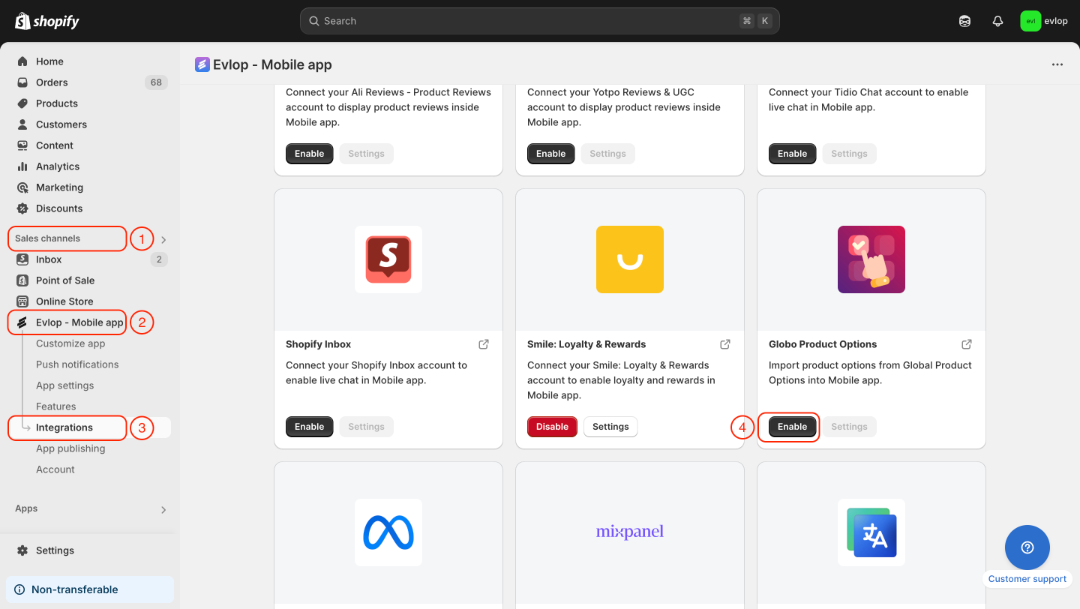
- Gehe in deinem Shopify-Dashboard zum Bereich Sales channel.
- Wähle evlop mobile app aus
- Öffne die Seite Integrations.
- Navigiere zu Globo Product Options
- Aktiviere die Globo Product Options Integration.
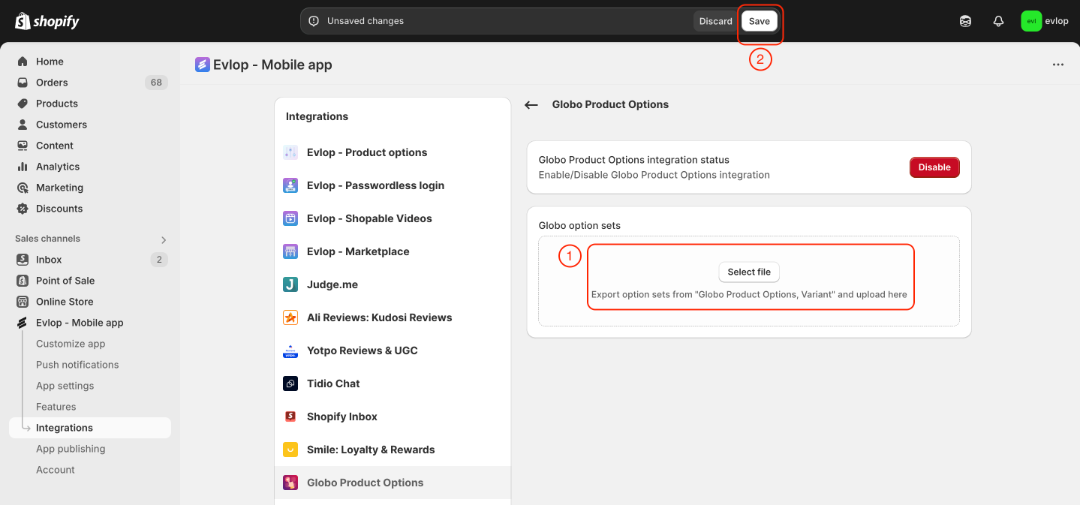
- Wähle die heruntergeladene Globo-Optionssatz-CSV-Datei aus und lade sie hoch.
- Speichere die Änderungen.
Der Integrationsprozess zwischen der Evlop Mobile App und Globo Product Options ist abgeschlossen.