如果您在通过 Evlop 的 Shopify 后台请求将应用提交到 Play Store 时(Build and upload to Play Store)看到标有 Manual upload required 的错误❗提示,可能是由于以下几种情况。
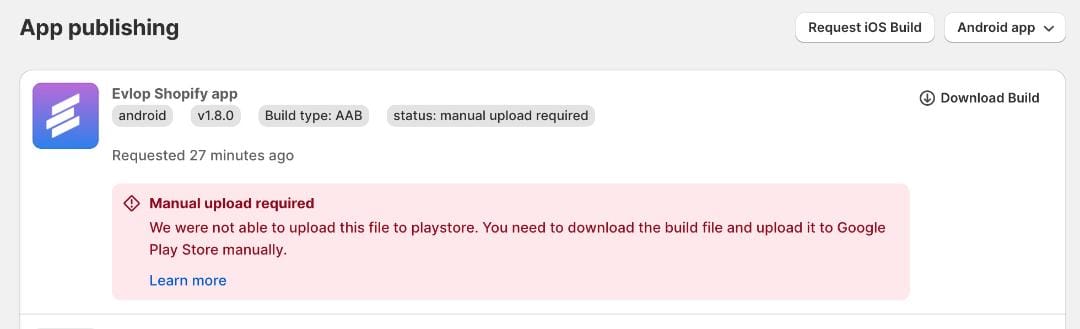
可能的原因
- 您尚未发布 Android 应用的第一个版本。
- 您未完成与 Google Play Console 的服务账号连接。
- 您未在云项目中启用 Google Play Android Developer API。
📌 情况 1: 您尚未发布 Android 应用的第一个版本。
我们先来了解一下“Build and Upload to Play Store”选项对 Android 应用意味着什么。
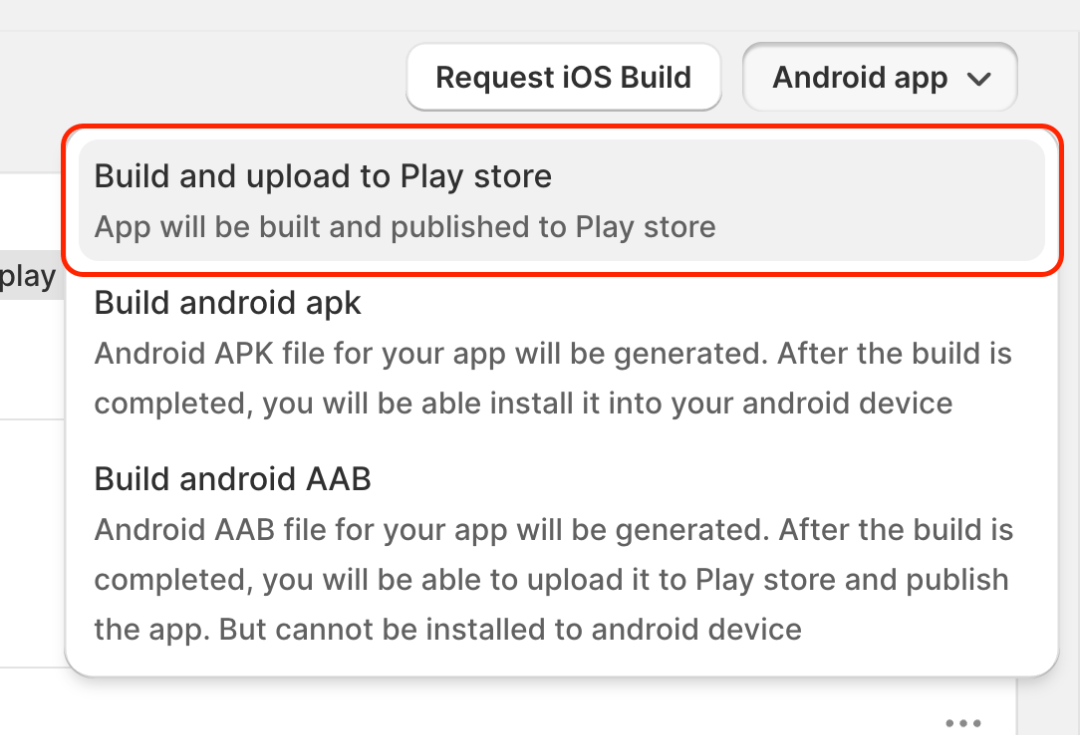
构建并上传至 Play Store(适用于 Android 应用)是专为直接从 Evlop 移动应用的 Shopify 仪表盘提交应用更新而设计的功能,构建完成后即可自动提交更新供审核,省去下载、上传以及手动提交应用包的步骤,让您轻松在 Evlop 的 Shopify 仪表盘完成应用更新。
如果您尚未在 Play Store 上发布首个版本、未在 Google Play Console 中创建应用,或尚未上传任何应用构建文件(.AAB)至 Google Play Console,可能会出现需要手动上传的错误。请参阅本文了解如何将应用的首个版本发布至 Play Store 的操作指南。
https://evlop.com/docs/publishing-android-app-for-the-first-time-with-evlop
📌 条件 2:如果您错过了与 Google Play Console 的服务账号连接。
在将 Android 开发者账号连接至 Evlop 移动应用时,如果忘记在 Google Play Console 中将您的 Google Cloud 项目服务账号邮箱添加为管理员,可能会出现需要手动上传的错误。
请按照以下步骤进行解决。
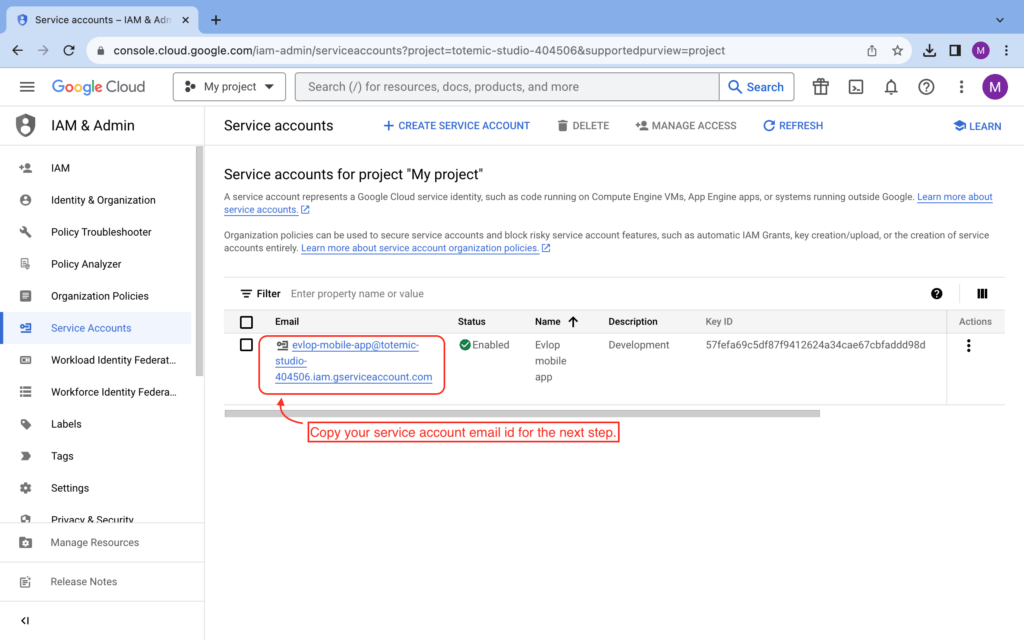
第 1 步:获取服务账号邮箱。
- 前往 https://console.cloud.google.com/iam-admin/serviceaccounts
- 选择您的项目。
- 复制服务账号邮箱。
第 2 步:为服务账号邮箱授予管理员权限。
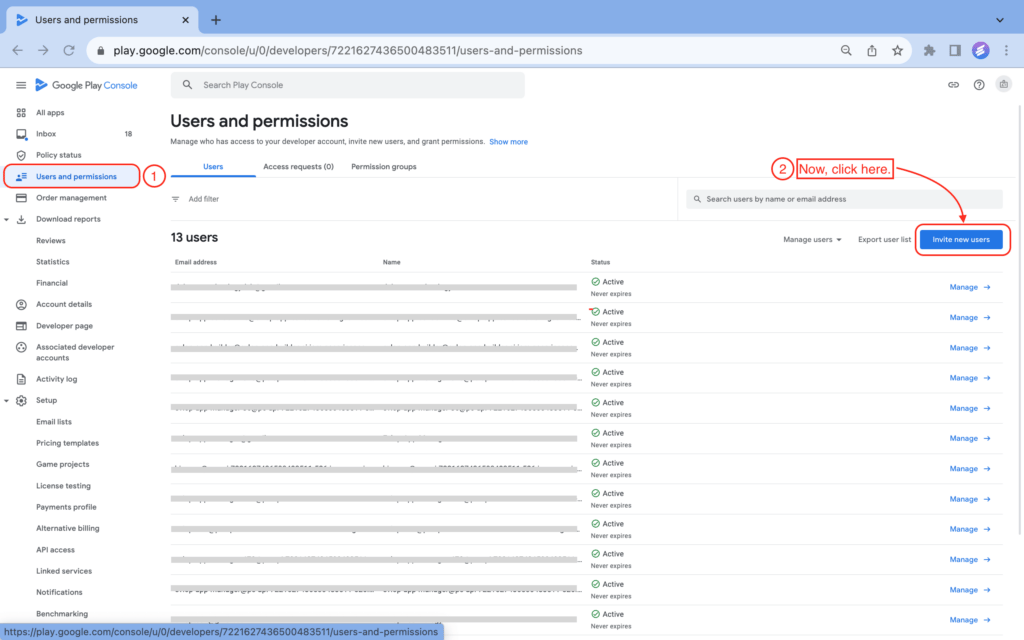
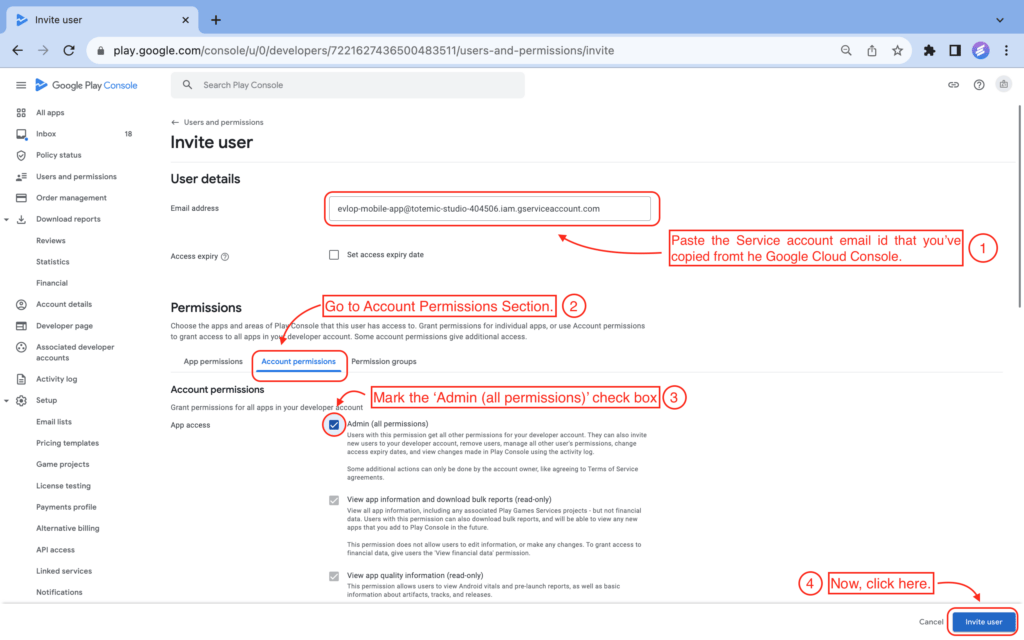
- 前往您的 Google Play Console。
- 在侧边栏中进入用户和权限页面。
- 点击邀请新用户
- 粘贴您已复制的服务账号邮箱(Service Account Email)ID。
- 点击账号权限(Account Permissions)。
- 勾选管理员(所有权限)(Admin (all permissions))复选框。
- 点击邀请用户(Invite User)
- 点击发送邀请(Send invite)确认邀请。
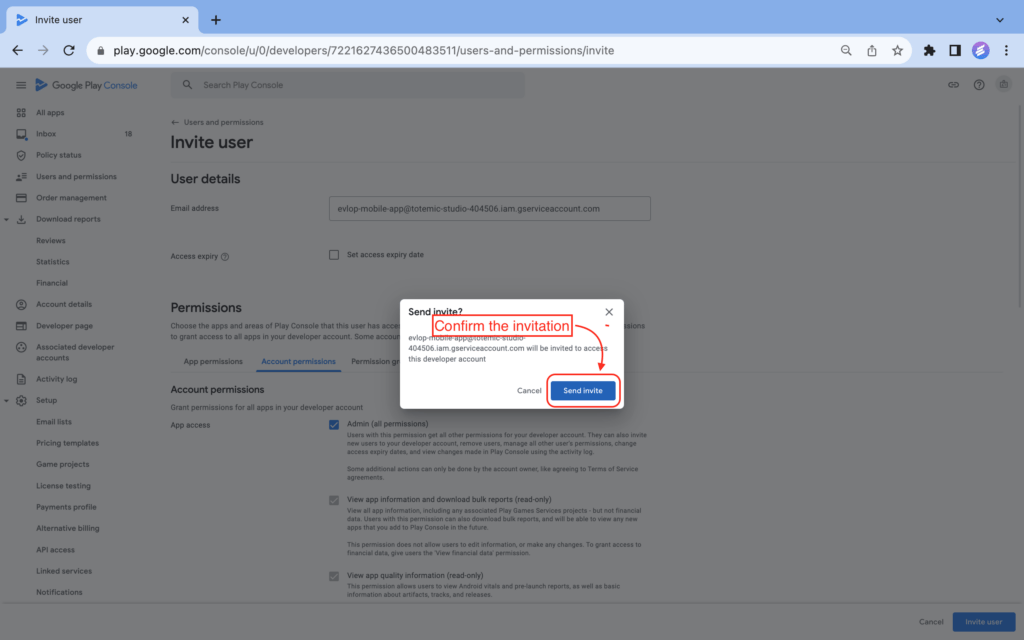
将您的服务账号邮箱以管理员权限添加到 Google Play Console 后,请重新请求一次 Android 构建,即Build and upload to Play Store,检查是否能成功上传。
如果仍然出现Manual upload required错误,请继续查看情况 3。
📌 情况 3:如果您没有为云项目启用 Google Play Android Developer API。
在将 Android 开发者账号连接到 Evlop 移动应用时,如果您忘记为 Google Cloud 项目启用Google Play Android Developer API,可能会遇到Manual upload required错误。
请按照以下步骤解决。
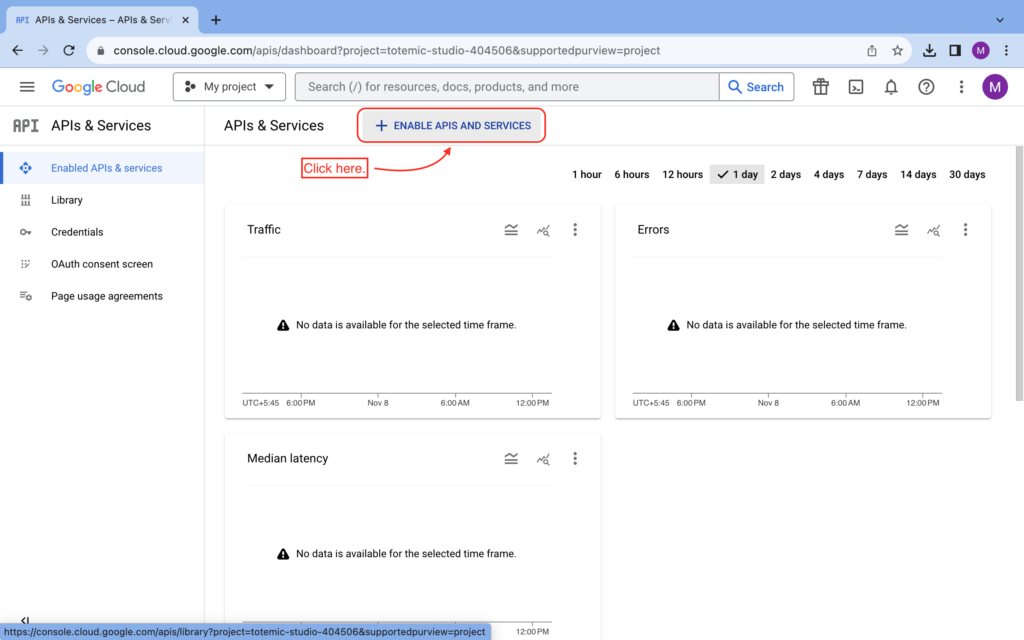
- 前往 https://console.cloud.google.com/apis/dashboard
- 点击+ENABLE APIS AND SERVICES
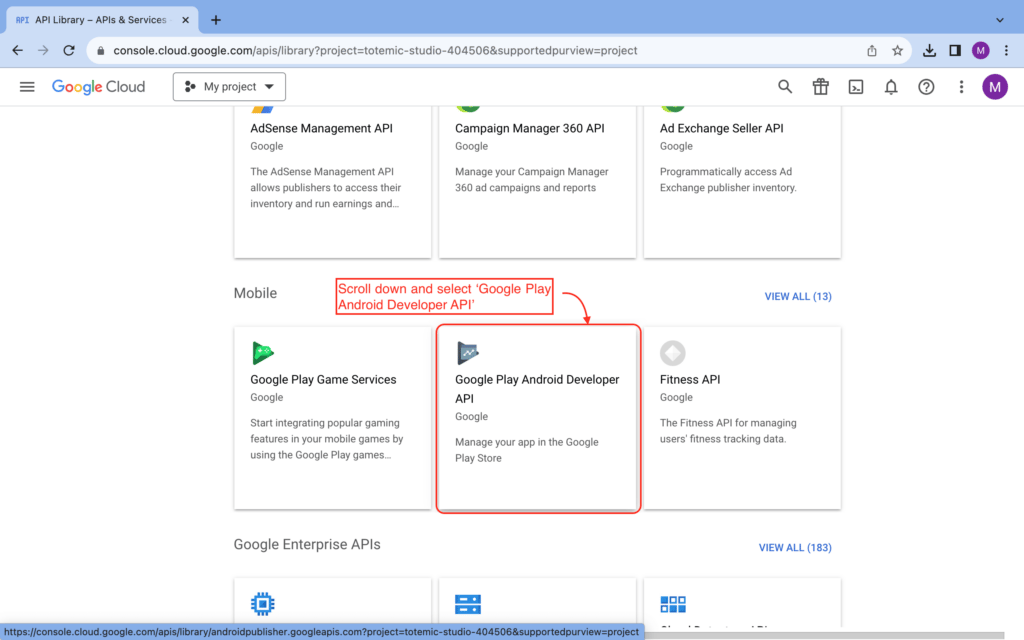
- 向下滚动。
- 找到并点击 Google Play Android Developer API
- 启用 Google Play Android Developer API
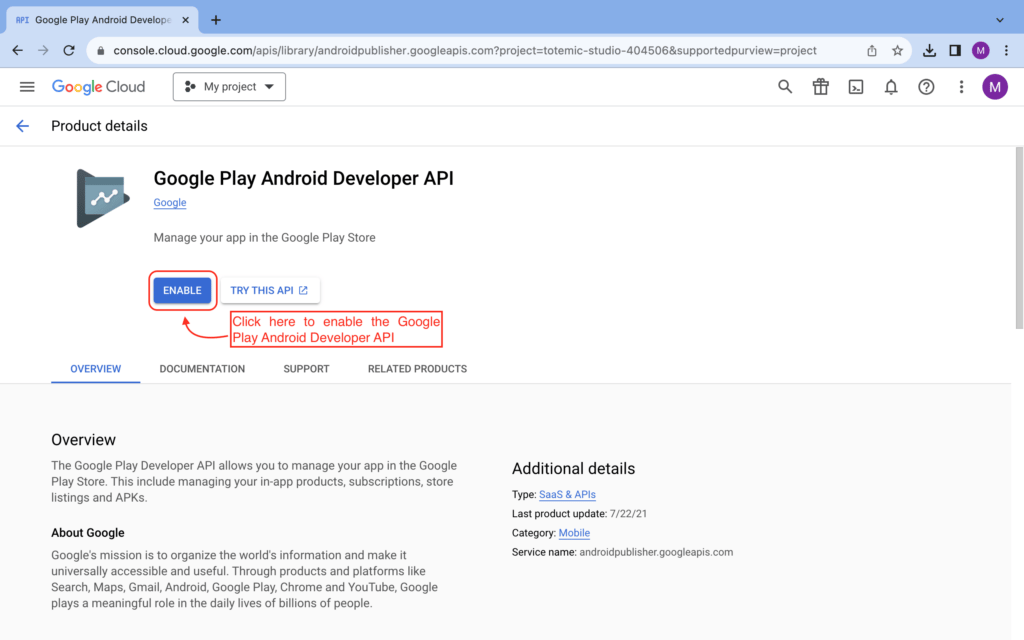
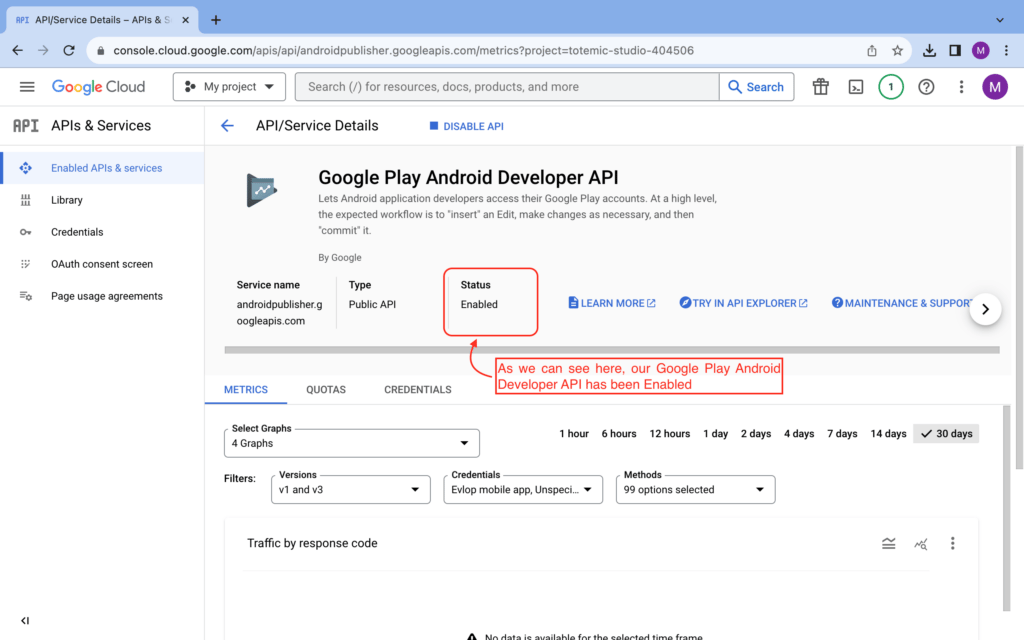
Google Play Android Developer API 已成功启用。
此操作应可解决需要手动上传的错误。请通过重新请求一次 Android 构建来验证,即构建并上传至 Play Store。
提交成功后,应用构建状态将标记为已上传至 Play Store。这表示我们的应用构建系统现在可以直接向您的 Google Play 控制台提交应用更新。如果您的应用已上线,系统将自动提交更新以供审核。

如果以上操作未能解决问题,请通过电子邮件(support@evlop.com)或 Evlop 移动应用的 Shopify 控制面板中的在线客服联系 Evlop 支持团队。