Étape 1 : Installer AI Search & Product Filter |SB
- Allez sur https://apps.shopify.com/ultimate-search-and-filter-1
- Installez l'application sur votre boutique Shopify
- Créez un compte et terminez le processus de création d'un filtre de produits.
Étape 2 : Récupérer les identifiants d'intégration.
- Allez dans la section Apps de votre tableau de bord Shopify.
- Sélectionnez AI Search & Product Filter |SB
- AI Search & Product Filter |SB s'ouvrira dans une nouvelle page.
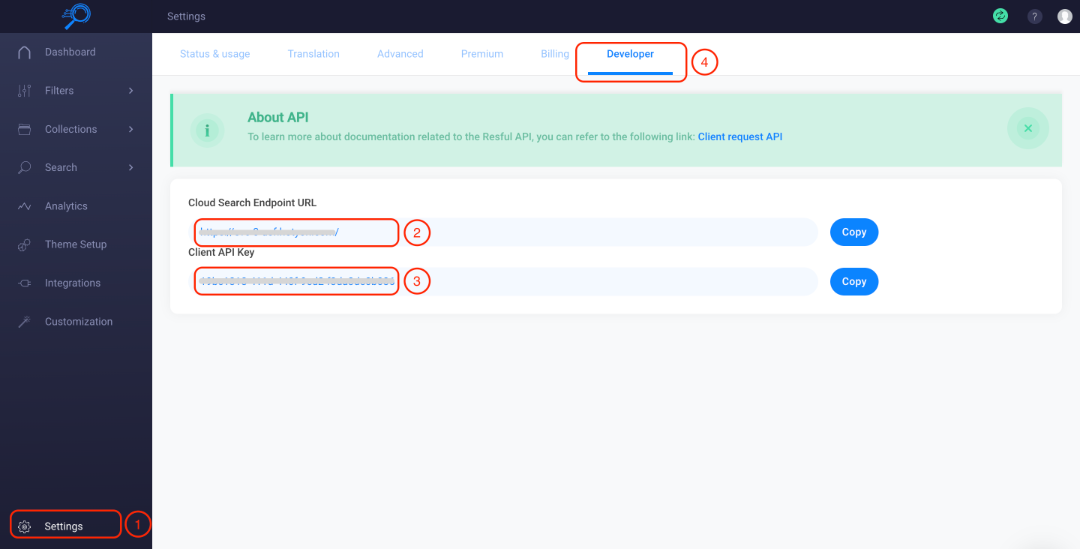
- Cliquez sur Settings dans le tableau de bord de l'application
- Allez dans l'onglet Developer
- Copiez l'Cloud Search Endpoint URL
- Copiez la Client API Key
Étape 3 : Activer et configurer l'intégration AI Search & Product Filter |SB.
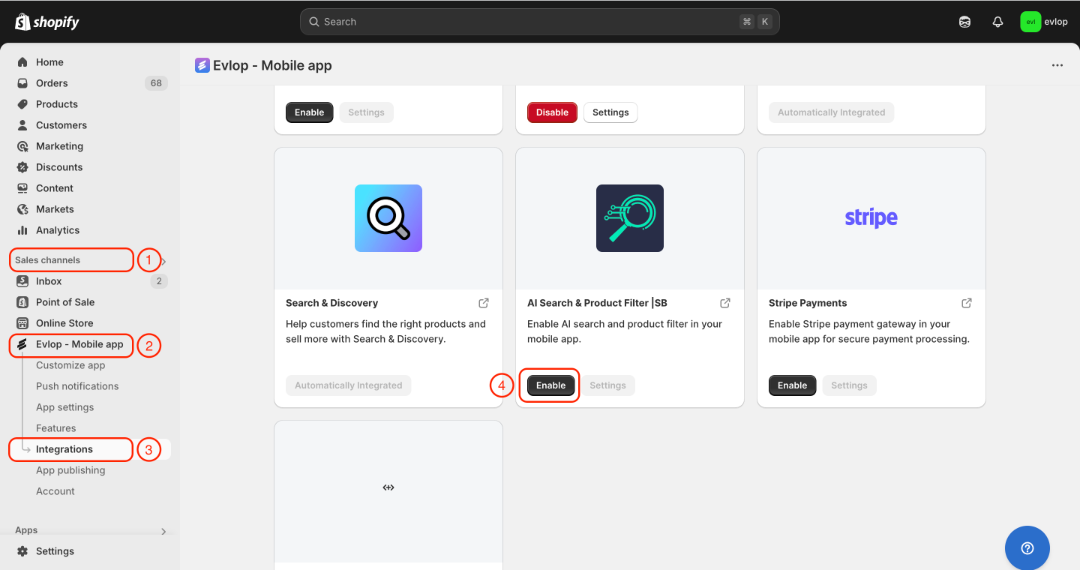
- Accédez à la section Sales channel de votre tableau de bord Shopify.
- Sélectionnez evlop mobile app
- Ouvrez la page Integrations.
- Rendez-vous sur AI Search & Product Filter |SB
- Activez l'intégration AI Search & Product Filter |SB
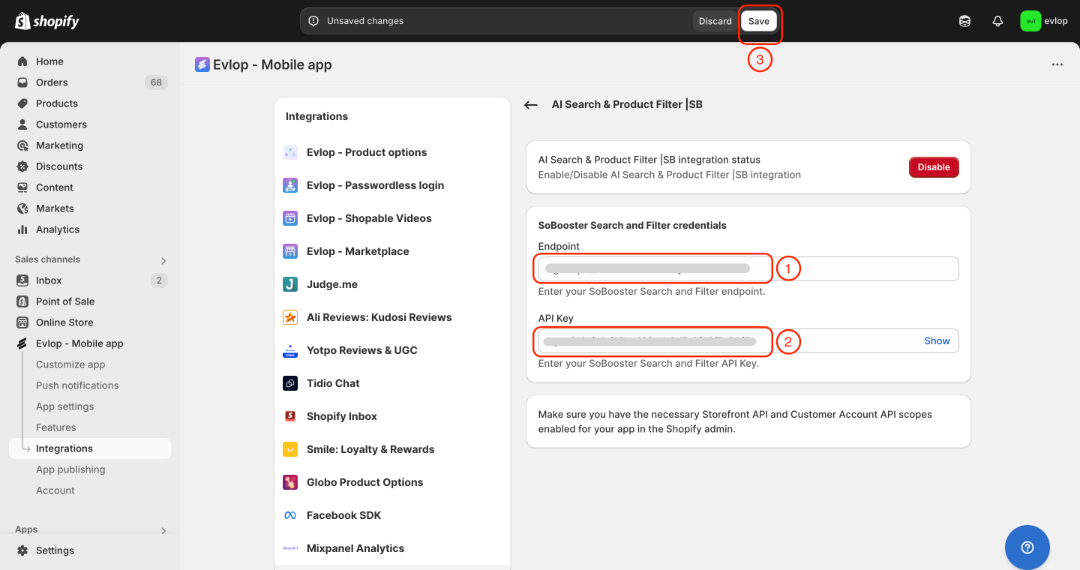
- Saisissez le endpoint de SoBooster Search and Filter.
- Saisissez votre clé API SoBooster Search and Filter.
- Enregistrez les modifications
L'intégration entre l'application mobile Evlop et AI Search & Product Filter |SB est désormais terminée.