ステップ1:AI Search & Product Filter |SB をインストール
- 以下の URL にアクセスしてください https://apps.shopify.com/ultimate-search-and-filter-1
- Shopify ストアにアプリをインストールします
- アカウントを作成し、商品フィルターの作成手順を完了します。
ステップ2:統合認証情報を取得
- Shopify ダッシュボードの Apps セクションへ移動します。
- AI Search & Product Filter |SB を選択します。
- AI Search & Product Filter |SB が新しいページで開きます。
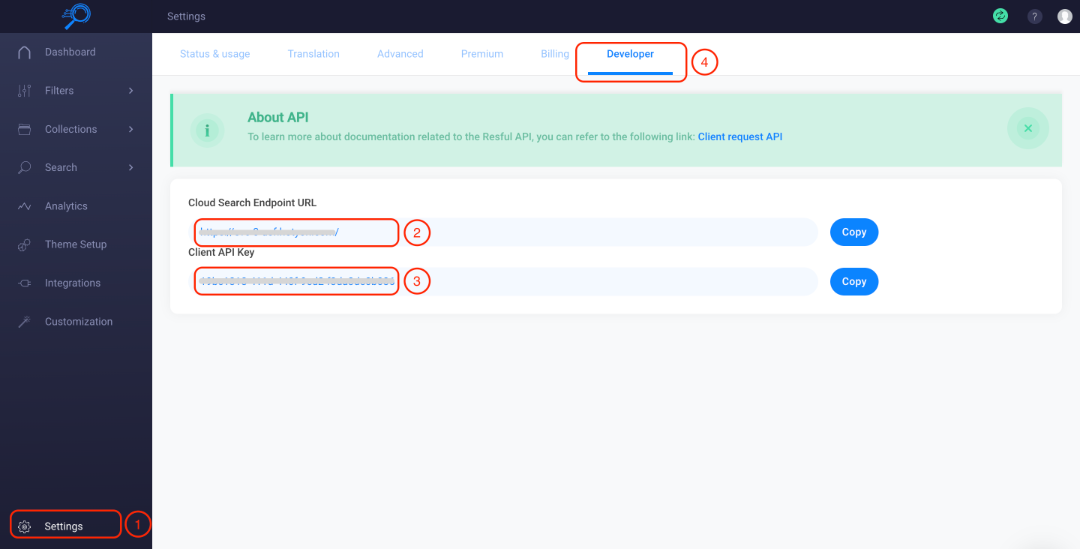
- アプリダッシュボードの Settings をクリックします。
- Developer タブへ移動します。
- Cloud Search Endpoint URL をコピーします。
- Client API Key をコピーします。
ステップ3:AI Search & Product Filter |SB 統合を有効化し設定
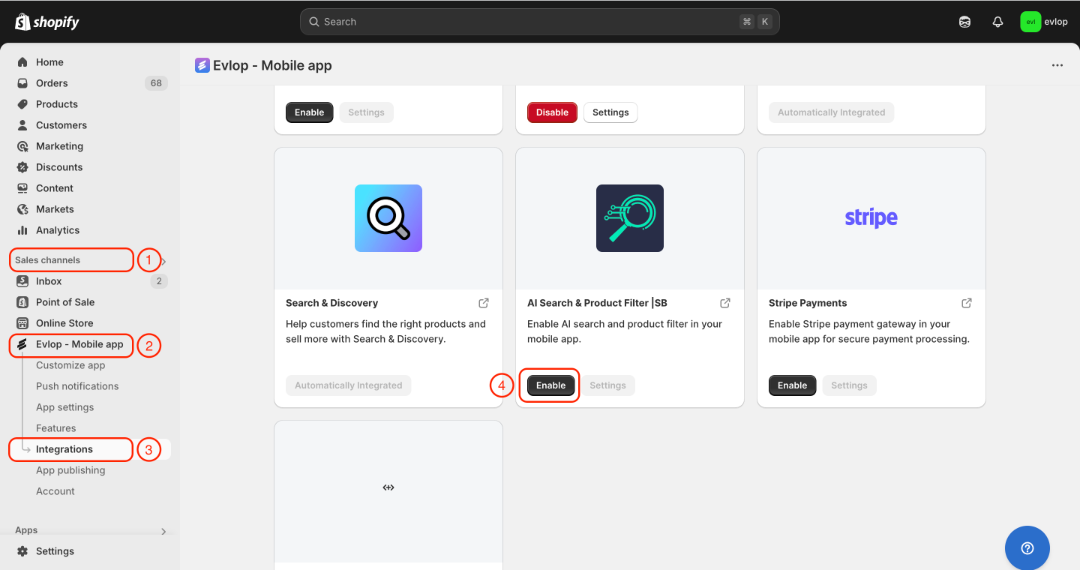
- Shopify管理画面の販売チャネルセクションに移動します。
- evlop mobile appを選択します
- Integrationsページを開きます。
- AI Search & Product Filter |SBに移動します
- AI Search & Product Filter |SB連携を有効化します
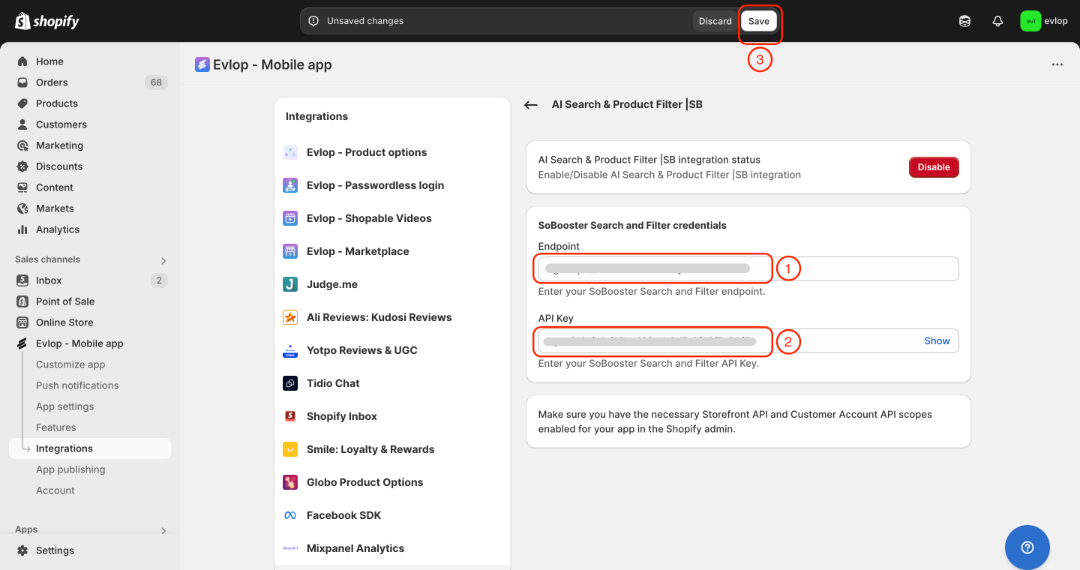
- SoBooster Search and Filterのエンドポイントを入力します。
- SoBooster Search and FilterのAPI Keyを入力します。
- 変更を保存します
EvlopモバイルアプリとAI Search & Product Filter |SBの連携が完了しました。